dannyr53
Members
-
Joined
-
Last visited
-
they're on ebay. hope the link works. I was thinking of using Techno Toys coil over kit, but I'm a little weary of welding it myself and it's a little hard finding a local shop to do it. I'd like to keep it as simple as possible. I plan on slapping a staggered set of wheels preferably 15x9 rear and 15x8 front.
-
http://www.ebay.com/itm/TOYOTA-COROLLA-KE-30-55-1975-1981-Lowered-King-Springs-KFFL-15-Front-/361221499866?pt=LH_DefaultDomain_15&hash=item541a7aabda&vxp=mtr
-
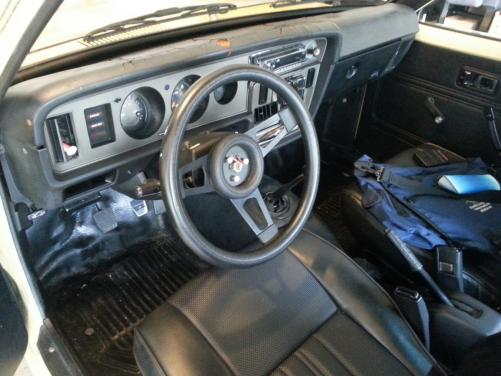
Hey Ryan, nice work on the your te31. I'm looking into doing suspension work soon. As for now I've been cleaning up stereo wiring and the interior. Would you guys happen to know if the King springs would fit?
-
oops! it is a te31 i thought it would also be called ke30, see already learning. :rocknroll:
-
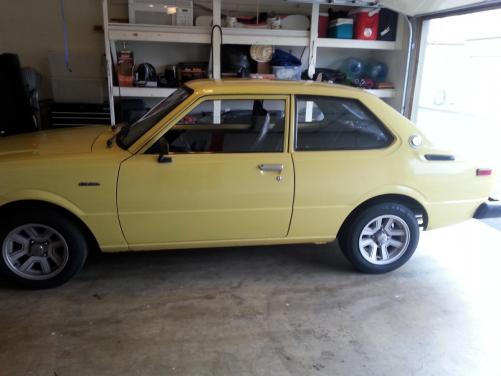
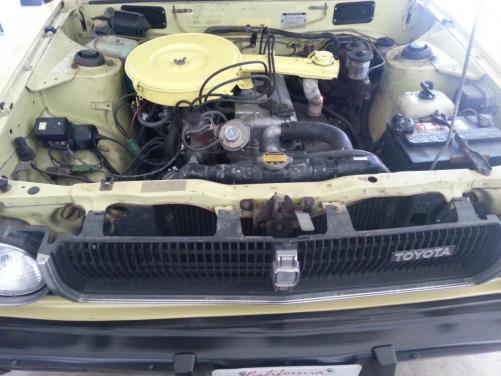
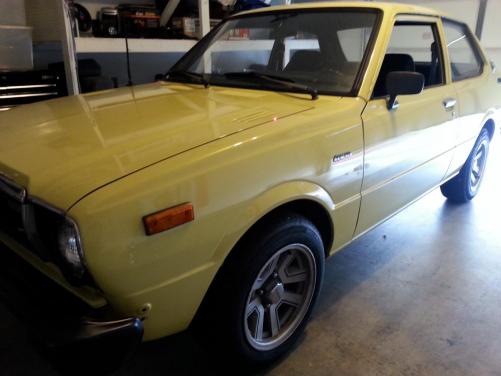
Hello RollaClub! I'm Danny from Southern California, I've been lurking around the site for the past few months now and finally decided to join. I have a 1979 KE30 coupe, that I purchased November of last year. So far its been a blast to drive and have been slowly getting it together since. I'm hoping with the help of RollaClub and a little elbow grease I can accomplish better performance and make it look more appealing. ;)