Skip to content
View in the app

A better way to browse. Learn more.

rollaclub.com

A full-screen app on your home screen with push notifications, badges and more.

To install this app on iOS and iPadOS
  1. Tap the Share icon in Safari
  2. Scroll the menu and tap Add to Home Screen.
  3. Tap Add in the top-right corner.
To install this app on Android
  1. Tap the 3-dot menu (⋮) in the top-right corner of the browser.
  2. Tap Add to Home screen or Install app.
  3. Confirm by tapping Install.

HALIXHALAPINO

Members
  • Joined

  • Last visited

Everything posted by HALIXHALAPINO

  1. Seems like a happy family glad to be part of it. Cheers Matt
  2. [/color AE 92 Seca with 4age smallport, Crazy crack rear wing and is sitting on webers nature strip. Yet to be Paid for :bash:
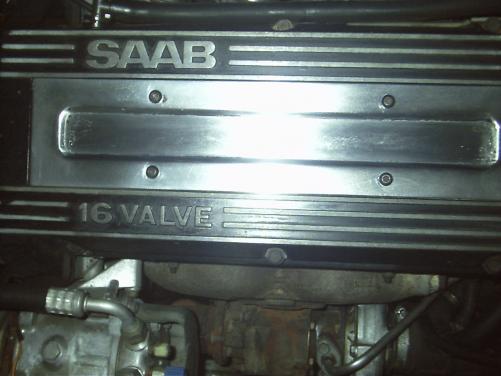
  3. Thought id better introduce myself and say Gday to all. I'm Alex I'm 37 years young Ive got three daughters so i live in an estrogen hub. This looks like the perfect place for me. Thanks Webers ! My daily drives are an 04 RAV 4 and A 88 Saab yes thats rite SAAB (still makes me laugh when i say i got one even after three years) 9000 turbo running a whole 11 psi of boost. Hes commonly known as jerry, thanks Stu! Anyhow should be picking up my rolla in the next week or two look forward to picking your brains and hopefully meeting a few of you on your next cruise.. CHEERS
Account

Navigation

Search

Search

Configure browser push notifications

Chrome (Android)
  1. Tap the lock icon next to the address bar.
  2. Tap Permissions → Notifications.
  3. Adjust your preference.
Chrome (Desktop)
  1. Click the padlock icon in the address bar.
  2. Select Site settings.
  3. Find Notifications and adjust your preference.