Skip to content
View in the app

A better way to browse. Learn more.

rollaclub.com

A full-screen app on your home screen with push notifications, badges and more.

To install this app on iOS and iPadOS
  1. Tap the Share icon in Safari
  2. Scroll the menu and tap Add to Home Screen.
  3. Tap Add in the top-right corner.
To install this app on Android
  1. Tap the 3-dot menu (⋮) in the top-right corner of the browser.
  2. Tap Add to Home screen or Install app.
  3. Confirm by tapping Install.

sticks

Members
  • Joined

  • Last visited

Everything posted by sticks

  1. sticks replied to h1_roll4's topic in WA / Perth
    Spotted twisted2 driving his twin webbers with his ae70 attatched in kwinana.( when are you going to sell it )
  2. Great pics, great cars, great route, even better company, Well put together guys do it again soon.
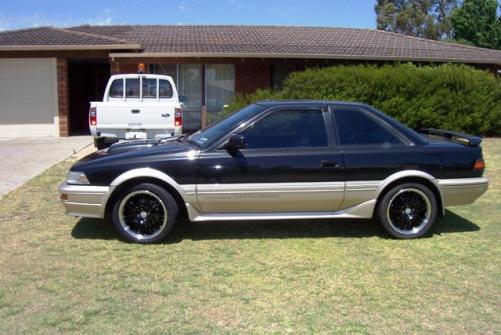
  3. Hi Guys, some pics of one of two AE92 levin's this is the ZE the other one is still work in progress a GTapex Cheers Frank
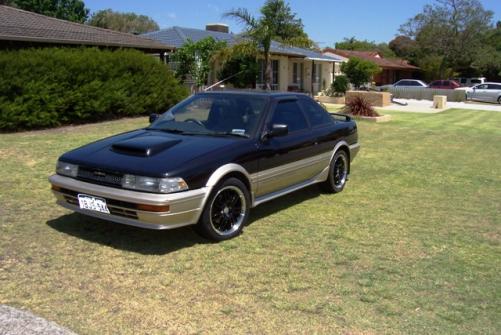
  4. Name - Frank ( Sticks ) Rides - AE92 GZE, AE92 GT Apex, AE82 TwinCam, Magna Ralliart. Occupation - Sandblaster/Spraypainter. MSN - [email protected]

Account

Navigation

Search

Search

Configure browser push notifications

Chrome (Android)
  1. Tap the lock icon next to the address bar.
  2. Tap Permissions → Notifications.
  3. Adjust your preference.
Chrome (Desktop)
  1. Click the padlock icon in the address bar.
  2. Select Site settings.
  3. Find Notifications and adjust your preference.