Skip to content
View in the app

A better way to browse. Learn more.

rollaclub.com

A full-screen app on your home screen with push notifications, badges and more.

To install this app on iOS and iPadOS
  1. Tap the Share icon in Safari
  2. Scroll the menu and tap Add to Home Screen.
  3. Tap Add in the top-right corner.
To install this app on Android
  1. Tap the 3-dot menu (⋮) in the top-right corner of the browser.
  2. Tap Add to Home screen or Install app.
  3. Confirm by tapping Install.

WHT-070

Members
  • Joined

  • Last visited

Everything posted by WHT-070

  1. Cheers mate. Exactly what I want!
  2. Yeh thanks mate.... But I wanna know what are the common car wheels that fit on the rolla! Cheers
  3. Hey guys Just bought a ke70 and wondering what wheels would fit it? Cheers!
  4. Just a little update, it's might be for sale very shortly....
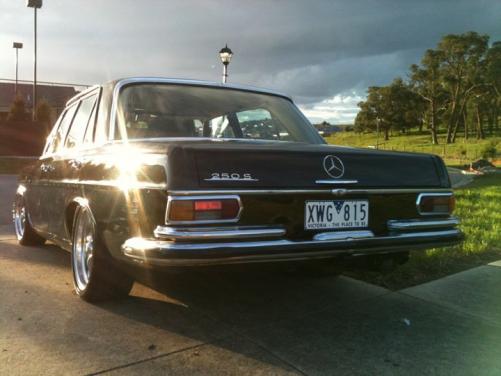
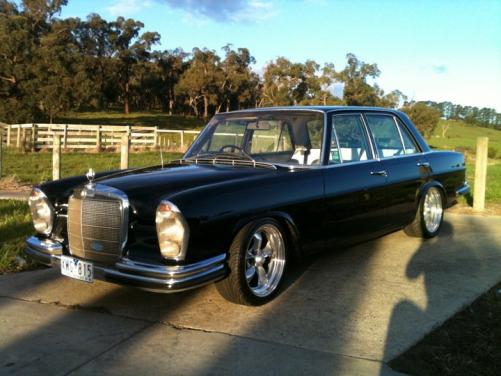
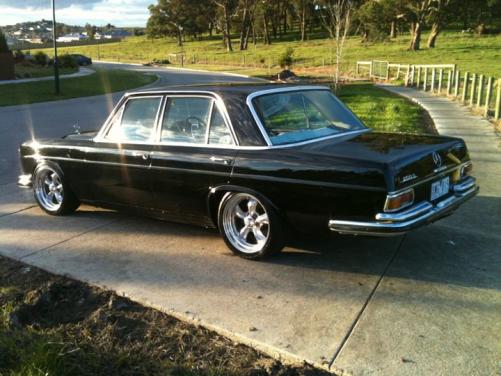
  5. Hey guys I'm new here.... Just thought id show ya my brothers Merc, its a 1971 short door 250s, lowered, red interior, 6cyl, gloss black.... Its stock atm but big future plans for it! hope ya like it ;)
Account

Navigation

Search

Search

Configure browser push notifications

Chrome (Android)
  1. Tap the lock icon next to the address bar.
  2. Tap Permissions → Notifications.
  3. Adjust your preference.
Chrome (Desktop)
  1. Click the padlock icon in the address bar.
  2. Select Site settings.
  3. Find Notifications and adjust your preference.