Skip to content
View in the app

A better way to browse. Learn more.

rollaclub.com

A full-screen app on your home screen with push notifications, badges and more.

To install this app on iOS and iPadOS
  1. Tap the Share icon in Safari
  2. Scroll the menu and tap Add to Home Screen.
  3. Tap Add in the top-right corner.
To install this app on Android
  1. Tap the 3-dot menu (⋮) in the top-right corner of the browser.
  2. Tap Add to Home screen or Install app.
  3. Confirm by tapping Install.

Zoneout

Members
  • Joined

  • Last visited

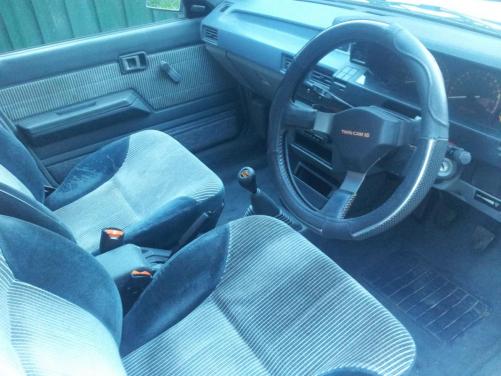
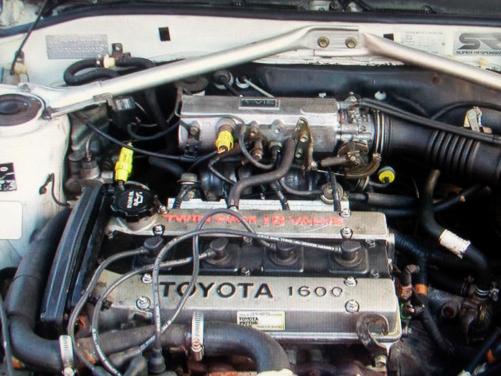
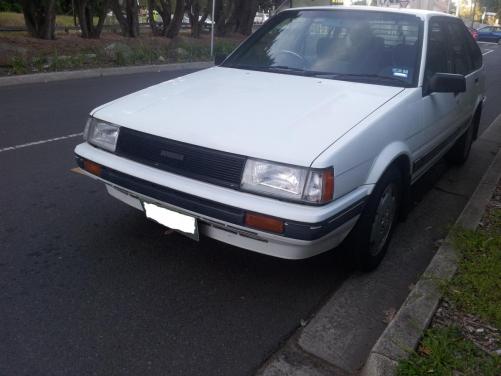
  1. Just bought recently (few days ago) a 1986 Twin Cam, Originally 4 days ago, I did not plan to buy another car, however a friend offered to buy my AE82 Sedan, and then an ad for the Twin Cam popped up on Gumtree, then I changed my mind, why not? :P Bought it for $1,600 with RWC inc from a nice old guy, originally I was a bit exceptional as the Twin cam was in pretty much perfect condition 0 Rust as well, and done only 130,000 KM's.., after I test drove it, it went very well, and engine was very responsive. Everything was bone stock including the radio even, everything works. However the radio's new home is the bin soon :P Even has all logbooks dating back to 1986 as well. I won't do much really to the car, will be my daily driver, but happy with the purchase :)
Account

Navigation

Search

Search

Configure browser push notifications

Chrome (Android)
  1. Tap the lock icon next to the address bar.
  2. Tap Permissions → Notifications.
  3. Adjust your preference.
Chrome (Desktop)
  1. Click the padlock icon in the address bar.
  2. Select Site settings.
  3. Find Notifications and adjust your preference.