Skip to content
View in the app

A better way to browse. Learn more.

rollaclub.com

A full-screen app on your home screen with push notifications, badges and more.

To install this app on iOS and iPadOS
  1. Tap the Share icon in Safari
  2. Scroll the menu and tap Add to Home Screen.
  3. Tap Add in the top-right corner.
To install this app on Android
  1. Tap the 3-dot menu (⋮) in the top-right corner of the browser.
  2. Tap Add to Home screen or Install app.
  3. Confirm by tapping Install.

Captian

Members
  • Joined

  • Last visited

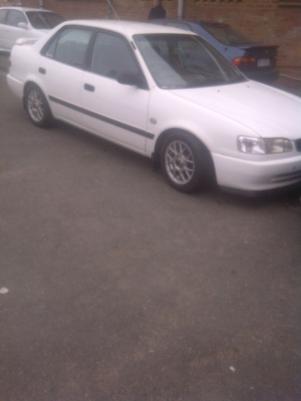
  1. Ahoy! Hope all you guys are Well - Deep Dark and Bucketed. Nickname - Captian Age - 32 Sex - Male Likes - Ships, Rum, Melady's, Cars, Boats, Bikes, Drifting. Dislikes - Seagulls - reason for my eyepatch Hometown - Pinetown Current Town - Westville - Durban - South Africa Car - Toyota Corolla 2002 - Falkor Fav colour - Black/Red Drive fast or Slow - Drive the speed limit....Racing is different. Fav Sports - Gymnastics - to watch Winter or Summer - Summer and Winter Meat or Vegetables - Can't have one without the other...screw that where's the RUM!!! Keep Well Attached is a pic of my 1.6i GLS 4Afe AE111 BC Coil overs, Fully ajustable. and some other bits installed.
Account

Navigation

Search

Search

Configure browser push notifications

Chrome (Android)
  1. Tap the lock icon next to the address bar.
  2. Tap Permissions → Notifications.
  3. Adjust your preference.
Chrome (Desktop)
  1. Click the padlock icon in the address bar.
  2. Select Site settings.
  3. Find Notifications and adjust your preference.