Skip to content
View in the app

A better way to browse. Learn more.

rollaclub.com

A full-screen app on your home screen with push notifications, badges and more.

To install this app on iOS and iPadOS
  1. Tap the Share icon in Safari
  2. Scroll the menu and tap Add to Home Screen.
  3. Tap Add in the top-right corner.
To install this app on Android
  1. Tap the 3-dot menu (⋮) in the top-right corner of the browser.
  2. Tap Add to Home screen or Install app.
  3. Confirm by tapping Install.

Oldpom

Members
  • Joined

  • Last visited

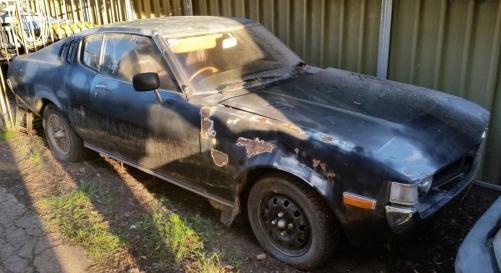
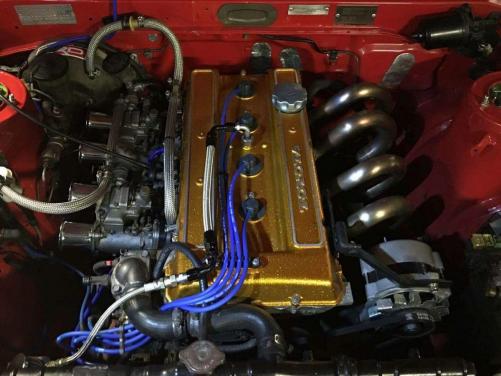
  1. Hi all. Just joined and although not a corolla We hope you do not mind us posting our new project. 1977 LT 2000 RA28 Celica. Body and interior need a lot of work but it is a very solid car and undetneath is in excellent condition. Running the original 18RC and auto at the moment she drives really great. Looking forward to starting the resto early next Year.will be putting 18RG and 5 speed manual in (pic of the new motor )
Account

Navigation

Search

Search

Configure browser push notifications

Chrome (Android)
  1. Tap the lock icon next to the address bar.
  2. Tap Permissions → Notifications.
  3. Adjust your preference.
Chrome (Desktop)
  1. Click the padlock icon in the address bar.
  2. Select Site settings.
  3. Find Notifications and adjust your preference.