Skip to content
View in the app

A better way to browse. Learn more.

rollaclub.com

A full-screen app on your home screen with push notifications, badges and more.

To install this app on iOS and iPadOS
  1. Tap the Share icon in Safari
  2. Scroll the menu and tap Add to Home Screen.
  3. Tap Add in the top-right corner.
To install this app on Android
  1. Tap the 3-dot menu (⋮) in the top-right corner of the browser.
  2. Tap Add to Home screen or Install app.
  3. Confirm by tapping Install.

AE92BMYHNY

Members
  • Joined

  • Last visited

  1. yeh no worrys man....i actually got some of boostcrusing..but i still wanna no sum history......but i'll ask him i know him in person..thanks anyway man
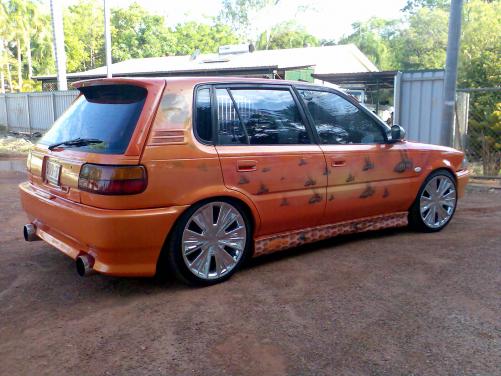
  2. hey i am the owner of this car now!!! i brought it from whoever used to own it from sydney....when i got it it had been crashed and i have had to replace the front bar and headlight....and a few little trims i havent got yet.......its slowly gettin there....but i would like to know some about the history of this car and some pics of it back in the day....anyhelp will be awesome!! cheers nick
Account

Navigation

Search

Search

Configure browser push notifications

Chrome (Android)
  1. Tap the lock icon next to the address bar.
  2. Tap Permissions → Notifications.
  3. Adjust your preference.
Chrome (Desktop)
  1. Click the padlock icon in the address bar.
  2. Select Site settings.
  3. Find Notifications and adjust your preference.