Skip to content
View in the app

A better way to browse. Learn more.

rollaclub.com

A full-screen app on your home screen with push notifications, badges and more.

To install this app on iOS and iPadOS
  1. Tap the Share icon in Safari
  2. Scroll the menu and tap Add to Home Screen.
  3. Tap Add in the top-right corner.
To install this app on Android
  1. Tap the 3-dot menu (⋮) in the top-right corner of the browser.
  2. Tap Add to Home screen or Install app.
  3. Confirm by tapping Install.

ke25 wannabe racer

Members
  • Joined

  • Last visited

  1. Yep that is the one, he took me out for some hot laps at Mallala the othet week, his car is insanley fast, the bug has bitten and I bought a car to race also. Next year at Mallala there will be Rob, Clint, Roband Clints old man(my bro) and me :P
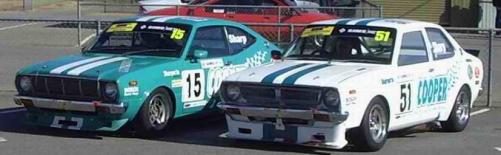
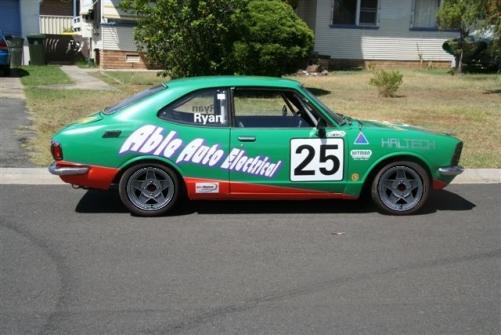
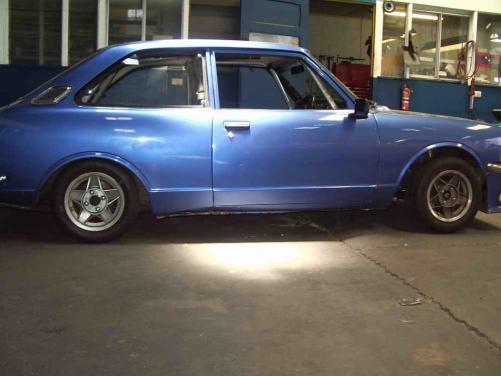
  2. John, just got this from KE25 racer, Its a KE25 IPRA car(its been photoshopped with globes), will be running in the Sharperto Racing/Cooper Auto Electrics race team :) plans are 4age20v Blacktop, and qualify under the 130% rule and not make a dick of myself :P Pic 1 my car(KE25 4age20vBlacktop), pic 2 brothers car(KE20 4age20v Silvertop), pic 3 nephews cars(KE55 & KE30 3SGTE)
Account

Navigation

Search

Search

Configure browser push notifications

Chrome (Android)
  1. Tap the lock icon next to the address bar.
  2. Tap Permissions → Notifications.
  3. Adjust your preference.
Chrome (Desktop)
  1. Click the padlock icon in the address bar.
  2. Select Site settings.
  3. Find Notifications and adjust your preference.