Winter
Members
-
Joined
-
Last visited
Everything posted by Winter
-
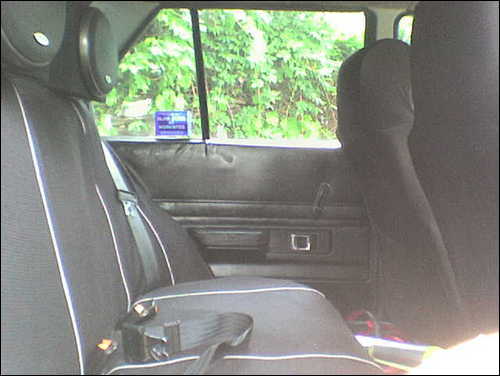
Yeh When We Carry People In The Back, They Love that lol, but there was no where else to fit the speaker boxes to, coz the parcell tray isnt big enough to hold them. I'm Not Sure About How The Car Was Debadged, Because It Was Allready Debadged When I Bought It
-
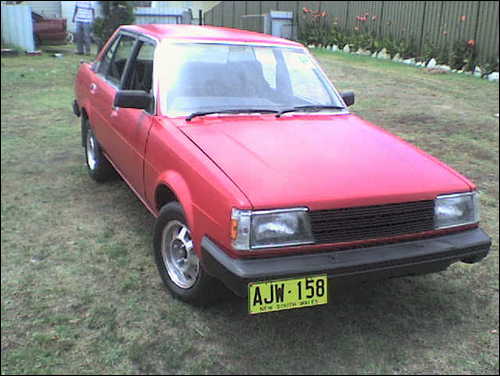
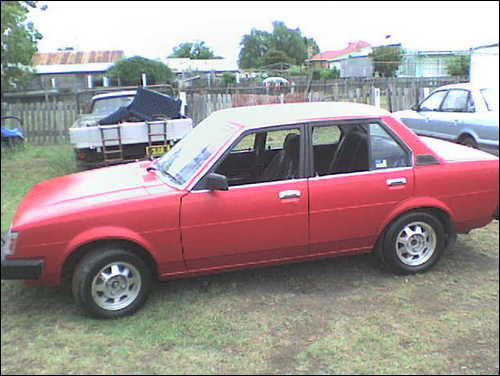
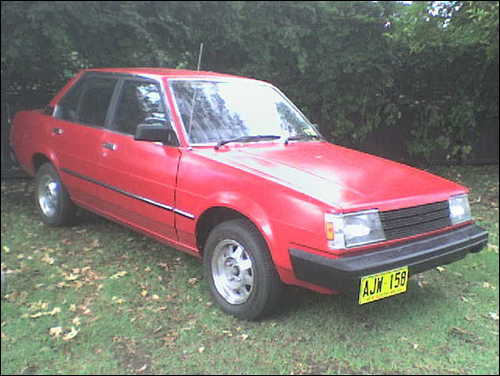
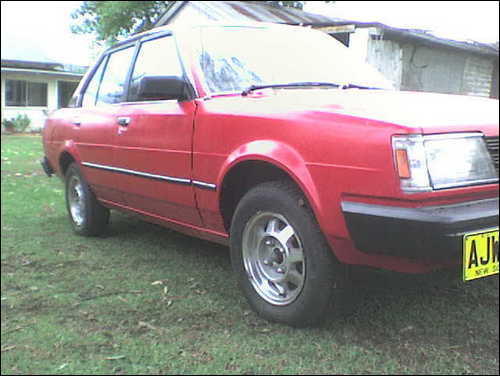
Hey Guys/Gurls.... My Names Anthony, I Thought I Might Chuck Some Pics and a Description on my 1st Car, i'll keep this forum up to date also as i progress in building the car up. I Hope To Get It How I want It before i get my P's in about 5 months. Specs: Model: Corolla KE70 Year: 1984 Body Shape: Sedan Colour: Just Resprayed Red Engine: 1.5ltr with K&N Air Filter Exhaust: 1 1/2 Inch Straight Pipe With 4 Inch Cannon Muffler Interior: Full Black Respray Wheels: Stock 13" Mags Gearbox: 5 Speed Manual Stereo: Sanyo 200 Watt CD/MP3 Head Unit, 300 Watt Clarion Front Speakers, Kenwood 800 Watt Rear Speakers, 12 Inch 1000 Watt Alpine Sub, 400 Watt Fusion Amplifier Other Mods: Yellow Underbody Neons, Drift Button Built Into Handbrake, Fully Debadged Mods To Come: Bonnet Being Painted Black, Custom Boot Install, Window Tint, Corolla Vinyls On Both Front Doors, "www.rollaclub.com" decal on rear window Feel Free To Leave A Comment, Or a Suggestion Cheers Anthony