Skip to content
View in the app

A better way to browse. Learn more.

rollaclub.com

A full-screen app on your home screen with push notifications, badges and more.

To install this app on iOS and iPadOS
  1. Tap the Share icon in Safari
  2. Scroll the menu and tap Add to Home Screen.
  3. Tap Add in the top-right corner.
To install this app on Android
  1. Tap the 3-dot menu (⋮) in the top-right corner of the browser.
  2. Tap Add to Home screen or Install app.
  3. Confirm by tapping Install.

88 DRF

Members
  • Joined

  • Last visited

  1. 88 DRF replied to 88 DRF's topic in Rollaclub Rides
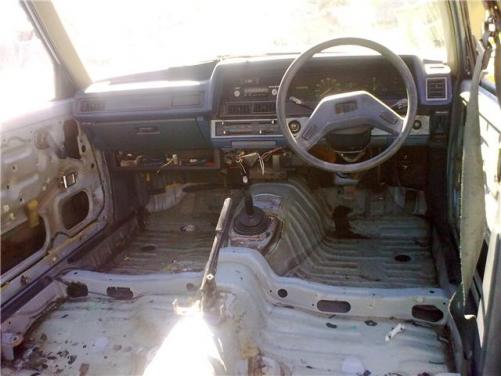
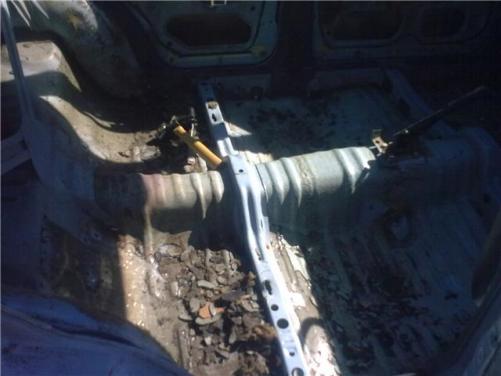
    its going to be a mountian running and maybe a wet drifter . its only have 2 seats and sound matting is all gone and car has been gutted . i want to get like a 4age 20v or something . or just a 4age bigport . i don't want lots off power like most people do . i just want it to turn when i want it to
  2. 88 DRF replied to 88 DRF's topic in Rollaclub Rides
    hey man no new pics yet been sick could not work on it
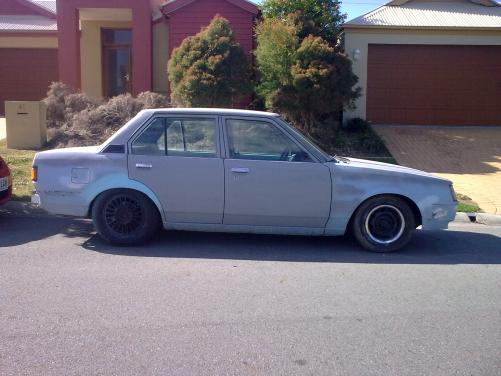
  3. hey guys it a 84 ke70 rolla . 4 speed man ford sprins in the back and chopped front sprins . no back seats their is a fire wall insted . car will be getting a roll cage and fixed bucket seat . and one day a 4agze or some thing . car is going mazda rx7 blue . plz let me no what u think off my rolla so fare .all the sound mating has been removed . will keep pics up to date
Account

Navigation

Search

Search

Configure browser push notifications

Chrome (Android)
  1. Tap the lock icon next to the address bar.
  2. Tap Permissions → Notifications.
  3. Adjust your preference.
Chrome (Desktop)
  1. Click the padlock icon in the address bar.
  2. Select Site settings.
  3. Find Notifications and adjust your preference.