Skip to content
View in the app

A better way to browse. Learn more.

rollaclub.com

A full-screen app on your home screen with push notifications, badges and more.

To install this app on iOS and iPadOS
  1. Tap the Share icon in Safari
  2. Scroll the menu and tap Add to Home Screen.
  3. Tap Add in the top-right corner.
To install this app on Android
  1. Tap the 3-dot menu (⋮) in the top-right corner of the browser.
  2. Tap Add to Home screen or Install app.
  3. Confirm by tapping Install.

toddyt_92

Members
  • Joined

  • Last visited

Everything posted by toddyt_92

  1. pretty sure its lowered man, not sure tho
  2. haha yeah bro that was me. thanks :)
  3. cheers for the advice guys, yeah when i first got it i has sliding in mind haha, but after ive bin driving it for a while its too much of a nice car to tear apart. i'll save my self abit of money my not boostin everywhere n buying shit aswell lol.
  4. ay cheers guys! nuh didn't get it from mitcham, paid 1600 mate
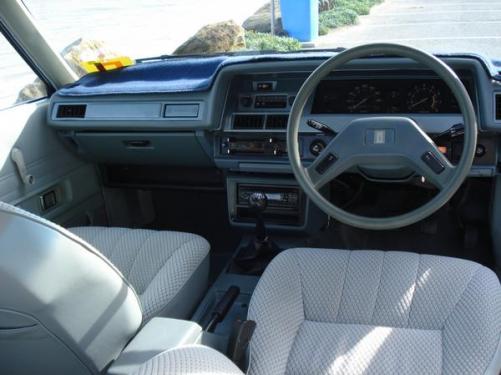
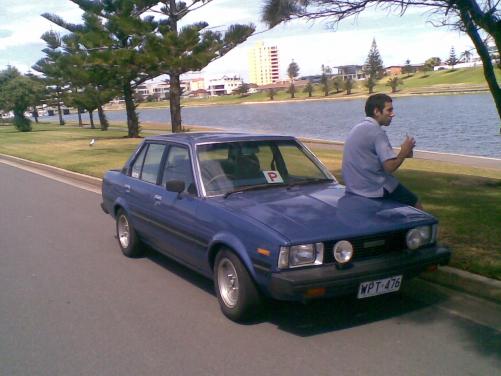
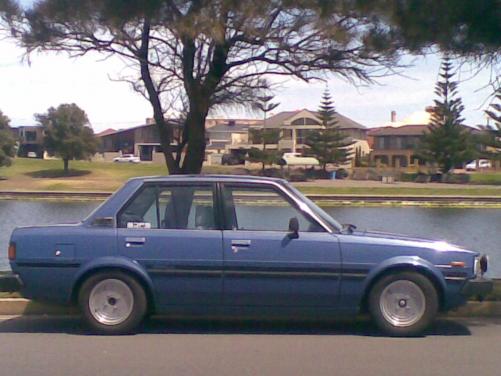
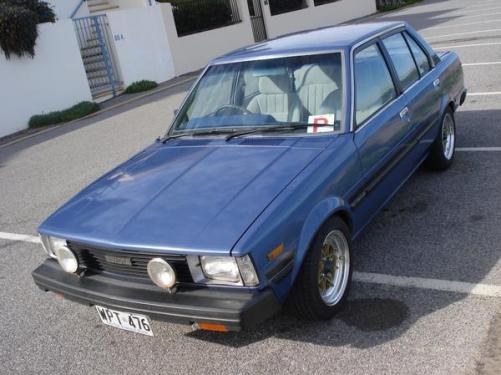
  5. ay guys, thought id post up a thread of my first car, 81 ke70 :S. very clean, currently pretty stock, 13'' centrelines, reasonably slammed this thing is pretty overrated, LMAO at the condition of the interior. would luv for u guys 2 let me know what i should do to this beast, thinking bout front lip, not sure about 4age at this stage.
Account

Navigation

Search

Search

Configure browser push notifications

Chrome (Android)
  1. Tap the lock icon next to the address bar.
  2. Tap Permissions → Notifications.
  3. Adjust your preference.
Chrome (Desktop)
  1. Click the padlock icon in the address bar.
  2. Select Site settings.
  3. Find Notifications and adjust your preference.