Skip to content
View in the app

A better way to browse. Learn more.

rollaclub.com

A full-screen app on your home screen with push notifications, badges and more.

To install this app on iOS and iPadOS
  1. Tap the Share icon in Safari
  2. Scroll the menu and tap Add to Home Screen.
  3. Tap Add in the top-right corner.
To install this app on Android
  1. Tap the 3-dot menu (⋮) in the top-right corner of the browser.
  2. Tap Add to Home screen or Install app.
  3. Confirm by tapping Install.

scotti20v

Members
  • Joined

  • Last visited

Everything posted by scotti20v

  1. Sweet thanks gavclassic, yeah I went and viewed the car and just made an offer, the only problem I have is that 2nd crunches until everything has heated up.
  2. Cheers mate, it goes quite hard, alot of fun, never owned a 4age before.
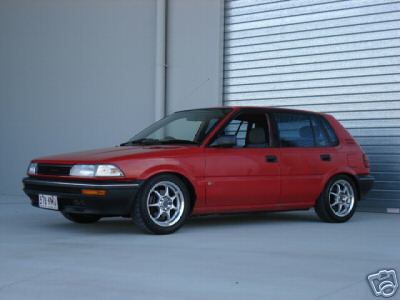
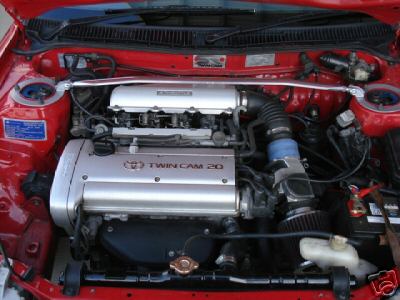
  3. I bought this car a few months ago with rego and RWC, does anyone know of its origins?? The car is great and hasn't missed a beat. The photos aren't great, but with the way forums are I thought people may recognise the car. Cheers scotti
Account

Navigation

Search

Search

Configure browser push notifications

Chrome (Android)
  1. Tap the lock icon next to the address bar.
  2. Tap Permissions → Notifications.
  3. Adjust your preference.
Chrome (Desktop)
  1. Click the padlock icon in the address bar.
  2. Select Site settings.
  3. Find Notifications and adjust your preference.