Skip to content
View in the app

A better way to browse. Learn more.

rollaclub.com

A full-screen app on your home screen with push notifications, badges and more.

To install this app on iOS and iPadOS
  1. Tap the Share icon in Safari
  2. Scroll the menu and tap Add to Home Screen.
  3. Tap Add in the top-right corner.
To install this app on Android
  1. Tap the 3-dot menu (⋮) in the top-right corner of the browser.
  2. Tap Add to Home screen or Install app.
  3. Confirm by tapping Install.

drew69

Members
  • Joined

  • Last visited

  1. hey champs ive got an 1986 original 16v 4age 5speed hd clutch exauts mild cams compleet car dat I'm wrecking it got defected not happy at all time 2 go $1000 any one intrested let me no I'm also after parts 4 a ke20 cheerz
  2. hey champ nice 2 hear of a diecent cruze count me in c uzz all there
  3. hey mate good effort with the rolla I'm havn the same trouble with the misses lol dw abt her its all abt the rolla lol let me no when ur cruzn it I'm always down 4 a casual cruze
  4. [email protected] drive a ke20 rb30et also got an ae82 bigport
  5. drew69 replied to Jared's topic in SA / Adelaide
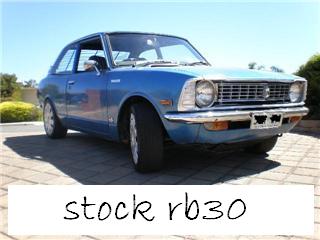
    lol yea that blue ke20 rb30 woulda been my selfe tc
Account

Navigation

Search

Search

Configure browser push notifications

Chrome (Android)
  1. Tap the lock icon next to the address bar.
  2. Tap Permissions → Notifications.
  3. Adjust your preference.
Chrome (Desktop)
  1. Click the padlock icon in the address bar.
  2. Select Site settings.
  3. Find Notifications and adjust your preference.