theravenous
Members
-
Joined
-
Last visited
-
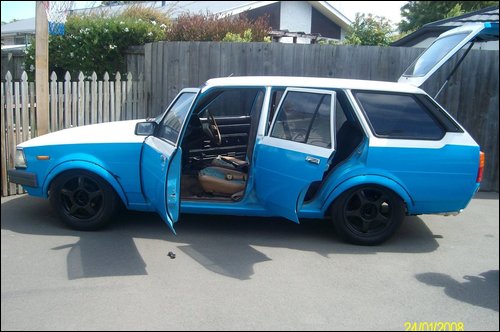
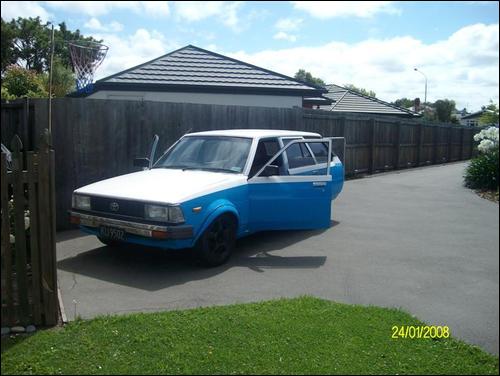
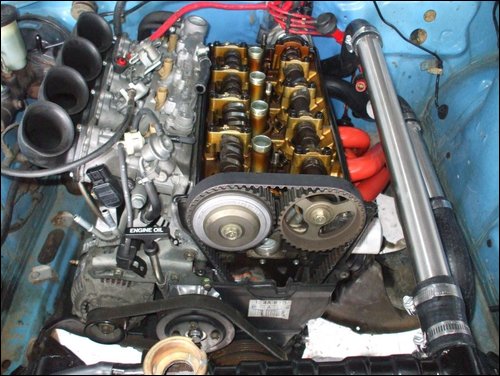
yea I'm not a fan of the firewall job ether but being a student its all the budget could allow :dance: as for the pipes agreed it looks a tad tacky and will be changed when the funds are back up. As for filtration i plan on getting some steel trumpets made up by a mate of mine. Haha and the diff yea well we will wait and see..... Pretty much everything you see exterior wise was how i bought it, paint is a tad rough and so are the bolt on flares. still a tidy wagon but theres always room for improvement right?
-
Hey guys, this has been my first project car for the good part of a year. Its a 82 Ke70 Wagon (almost)running a 4age Blacktop. Have a look and tell me what u think. I was planning on later supercharging it but have been told that doing so would turn the engine into a ticking time bomb :y: p.s i haven't started work on the exterior yet :dance: