Skip to content
View in the app

A better way to browse. Learn more.

rollaclub.com

A full-screen app on your home screen with push notifications, badges and more.

To install this app on iOS and iPadOS
  1. Tap the Share icon in Safari
  2. Scroll the menu and tap Add to Home Screen.
  3. Tap Add in the top-right corner.
To install this app on Android
  1. Tap the 3-dot menu (⋮) in the top-right corner of the browser.
  2. Tap Add to Home screen or Install app.
  3. Confirm by tapping Install.

Leaderboard

Popular Content

Showing content with the highest reputation on 01/20/21 in Posts

  1. 1 point
    Pretty happy with how these turned out.
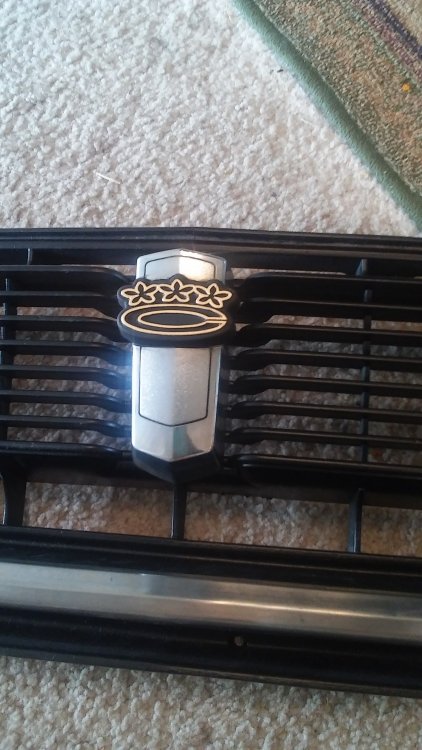
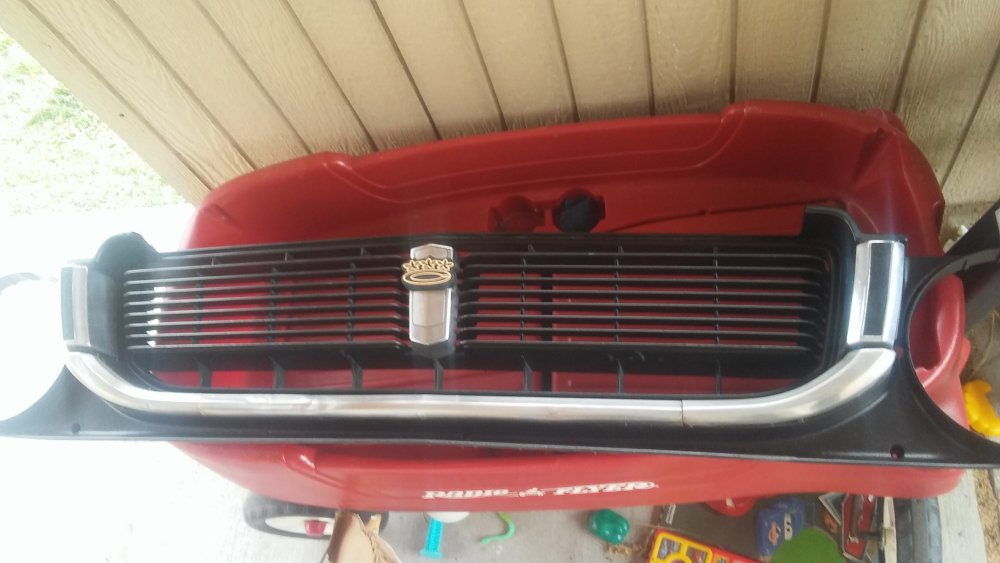
  2. Waiting on parts so i restored grill, emblem, removed dents and blemishes from chrome trim. Didn't work out all the dents yet but when I do I'll file the surface smooth, carefull not to go threw just knock down the highs and sand and buff till new. Believe me it was Easter to fix them find. With trim just be easy small taps re establish the lines and the rest will follow.
Account

Navigation

Search

Search

Configure browser push notifications

Chrome (Android)
  1. Tap the lock icon next to the address bar.
  2. Tap Permissions → Notifications.
  3. Adjust your preference.
Chrome (Desktop)
  1. Click the padlock icon in the address bar.
  2. Select Site settings.
  3. Find Notifications and adjust your preference.