4rollaz
Members
-
Joined
-
Last visited
-
yeah many people say that too. but honestly,i don't know how they can lose power unless they have a leak somewhere.
-
thats not what i asked in the question. i asked if it fits or not. but yes most def. let it breath better.. the stock unit is good in terms of keeping the heat in but flows like crap i heard.
-
hey guys, before i start taking off the extractors, would like to know if these extractors will fit stock dump for my 4age with no modifications? Also i bought a gasket for the dump that has two seperate rings. is that right? Thanks http://img687.imageshack.us/i/sl372475.jpg/ http://img810.imageshack.us/i/sl372474.jpg/
-
thanks guys I'm also surprised how clean it was when i picked it up! no leaks, the last owner spent about 3k in the last yr! just wear and tear parts. 222xxx kms on it too :) Any suggestions on mods for about 2k? I'm gonna keep this car for awhile so the wife takes the more expensive car!
-
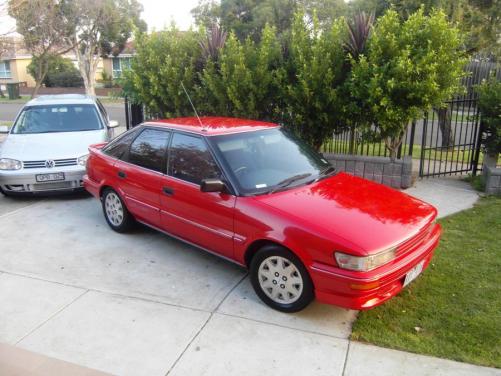
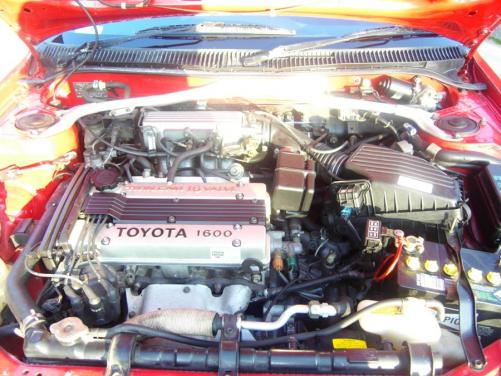
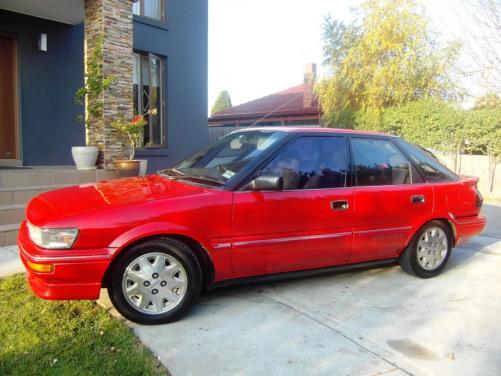
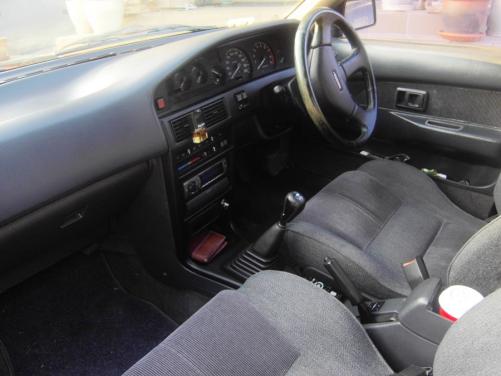
Hey fellas, I just bought my first corolla a few weeks back so i decided to join this website. Its a 1990 seca sx with the 4age red top engine. picked it up cheap and with a little cleaning and servicing... its come up looking pretty clean i think. It loves to rev to 7000 easy and will be thinking of modifying it NA no turbos or anything like that.. Its my daily to work. I've just put a new 2 1/4 full exhaust and superlow king springs. mainly worked on the stereo. See pictures Cheers! ooh I'm in south east melbourne so if anyone wants to cruise sometime, let me know.. Chris