Skip to content
View in the app

A better way to browse. Learn more.

rollaclub.com

A full-screen app on your home screen with push notifications, badges and more.

To install this app on iOS and iPadOS
  1. Tap the Share icon in Safari
  2. Scroll the menu and tap Add to Home Screen.
  3. Tap Add in the top-right corner.
To install this app on Android
  1. Tap the 3-dot menu (⋮) in the top-right corner of the browser.
  2. Tap Add to Home screen or Install app.
  3. Confirm by tapping Install.

30rollanz

Members
  • Joined

  • Last visited

  1. cheers man will get pictures up when interiors done , blacking it all out , black bucket seats , black carpet, black speakers ,black leather! should be all done in two weeks
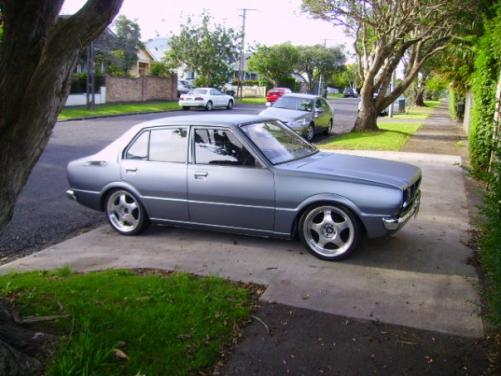
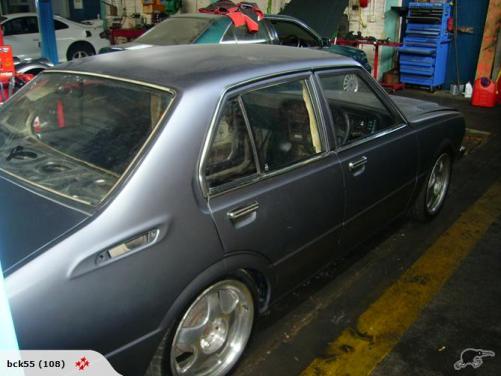
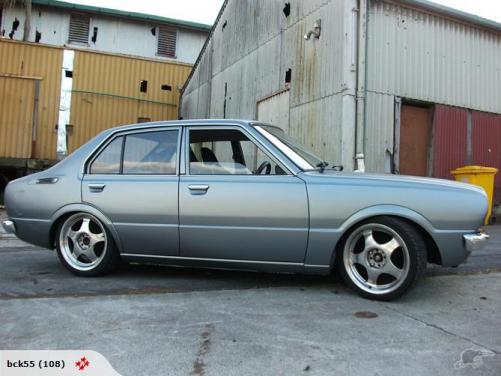
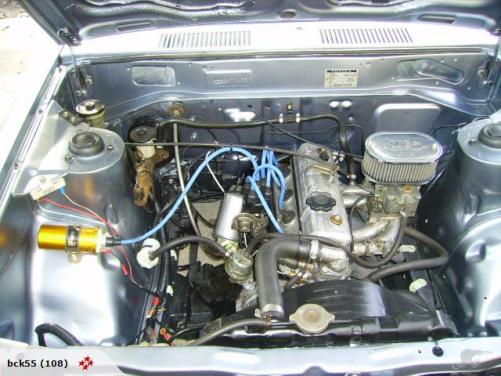
  2. Name: james Car:79 ke30 corolla Motor & Driveline:4k with 5 speed Suspension & Brakes:comp[ressed springs on front and 75mm blocks in back, stock brakes Wheels & Tyres: 17" mags Interior: soundstream stereo all 6x9s in tray and 6.5inch in doors , just finishing off black carpet and trim, bucket seats in front, leather in back Body:full bare metal restore ,shaved locks , matt gunmetal grey paint, repolished all crome Other:love it!
Account

Navigation

Search

Search

Configure browser push notifications

Chrome (Android)
  1. Tap the lock icon next to the address bar.
  2. Tap Permissions → Notifications.
  3. Adjust your preference.
Chrome (Desktop)
  1. Click the padlock icon in the address bar.
  2. Select Site settings.
  3. Find Notifications and adjust your preference.