Johnno115
Members
-
Joined
-
Last visited
-
Its all good mate. Good luck with your build, seems to be alot of knowledgeable people for you to bounce your ideas off, stick at it. Fun times ahead.
-
Some people say: nothing ever good came from beer, well, I'm pretty happy with how my car came out.
-
Extra power... LS1??
-
Hey guys, Thanks for the kind words. You'd be surprised how often I drive my little car on the street, just behave yourself....
-
Yeah overrated! Its got nice Nissan S15 coil overs in the front, rack and pinion, good brakes. You normally steer with your foot anyways...
-
Not from Melb's mate, will be at winton at the end of the month for Performance Car Mania,
-
Hi, Yeah i run a Autronic SM4, with an SMC running the spark. The coil connectors are standard bosh injector and coil connector if that helps, as on late model falcons ect. I hand made my engine loom and had no trouble finding what I needed of a standard loom.
-
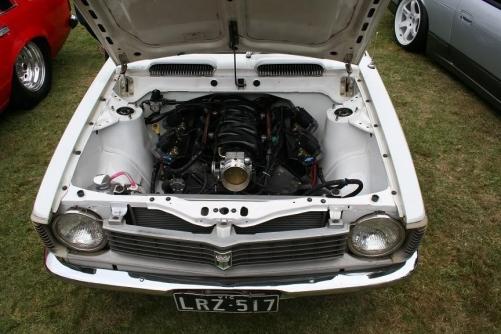
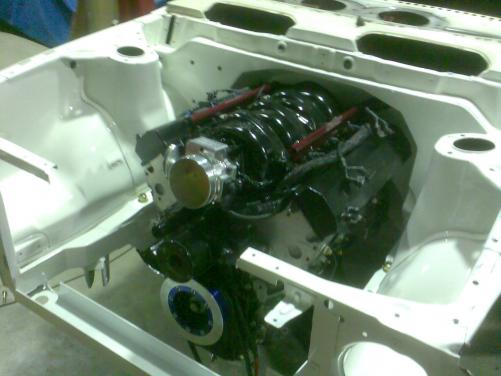
Hi, New member, noticed you has a engine conversions section, thought I’d pop a couple of pics of what can be done if you put your mind to something, stop talking about what might be a good idea and just pick up the angle grinder and start cutting. :blinks: Took me two years. Ls1, power glide, 4 link, 9 inch, molly cage, rack and pinion, 5 stud…. Fun times. Makes 300kw at the wheels aspirated. Cheers, Johnno