Skip to content
View in the app

A better way to browse. Learn more.

rollaclub.com

A full-screen app on your home screen with push notifications, badges and more.

To install this app on iOS and iPadOS
  1. Tap the Share icon in Safari
  2. Scroll the menu and tap Add to Home Screen.
  3. Tap Add in the top-right corner.
To install this app on Android
  1. Tap the 3-dot menu (⋮) in the top-right corner of the browser.
  2. Tap Add to Home screen or Install app.
  3. Confirm by tapping Install.

-=KE55 LOVE=-

Members
  • Joined

  • Last visited

Everything posted by -=KE55 LOVE=-

  1. i looked at your car write up and FAAAAAAAAAAAAAR OUT!
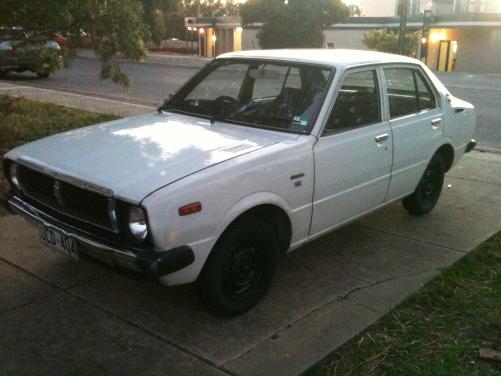
  2. hey guys and girls. my names sam, just recently bought a ke55... bought it as a cheap daily but i can see its going to turn into more than that lol plans already are to goto AJPS get some lowered spring and performance challenge wheels :) currently have 3 cars hahaha... A31 cefiro (OBSERD) el xr8 (MR XR8) and the ke55 :) the ke is a bit rough around the body but the interior isnt too bad :)

Account

Navigation

Search

Search

Configure browser push notifications

Chrome (Android)
  1. Tap the lock icon next to the address bar.
  2. Tap Permissions → Notifications.
  3. Adjust your preference.
Chrome (Desktop)
  1. Click the padlock icon in the address bar.
  2. Select Site settings.
  3. Find Notifications and adjust your preference.