

choppyspin
Members
-
Joined
-
Last visited
-
Hope it holds up. I put a rebuilt gearbox in the same time so if it does fail will be going a w58. An your right from Hobart Tas .
-
-
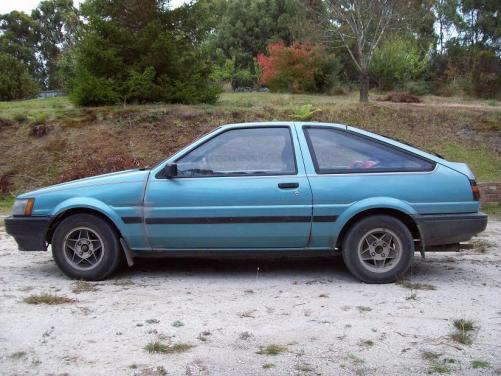
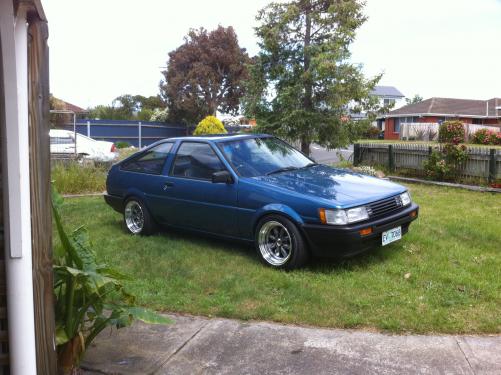
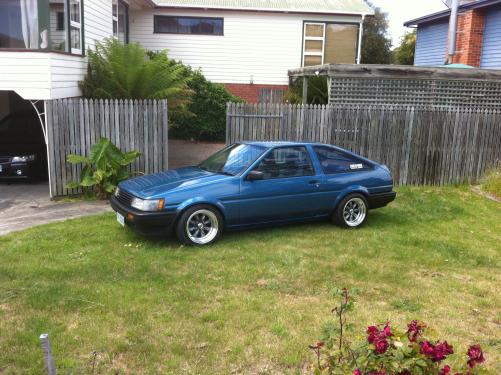
Name:Nathan Car:1985 Toyota AE86 Motor & Driveline: 4agze bigport with supercharger removed and t28 installled.(new gt28rs waiting to be installed), Haltech Ecu with LS1 Coils, excedy custom clutch, FMIC heaps of other stuff will add to list. Suspension & Brakes: Coilovers and after market springs and shocks in rear. Stock brakes (RX7 brakes purchased but not yet installed) Wheels & Tyres:15x8 0 offset spotmax mags and 15x8 neg 9 performance challengers Interior:steering wheel, boost and water gauge Body: Full respray in Toyota Blue, shaved boot lock, kouki Head lights with fog lights behind ADM Grill. I bought this car in May 2009 it has been my pride and joy for all this time.I'm not a mechanic so I thought this would be a good engine conversion to do since there is so much information out there and alot of people with experince to help. I Went to get tuned and stuffed the cluth after a few runs so I don't have a power figure yet. Before taking it back to get finished I decide to fix a few things I wasn't happy with. So a new turbo was order and intercooler piping will get re done b4 final tune. May 2009 December 2010
-
black top 20v or 3sge beams :)


