Skip to content
View in the app

A better way to browse. Learn more.

rollaclub.com

A full-screen app on your home screen with push notifications, badges and more.

To install this app on iOS and iPadOS
  1. Tap the Share icon in Safari
  2. Scroll the menu and tap Add to Home Screen.
  3. Tap Add in the top-right corner.
To install this app on Android
  1. Tap the 3-dot menu (⋮) in the top-right corner of the browser.
  2. Tap Add to Home screen or Install app.
  3. Confirm by tapping Install.

mrf20c

Members
  • Joined

  • Last visited

  1. hey everyone just wanna see if anyone is goin to attend the picnic day at silverwater tommro lookin forward to seeing u guys there
  2. mrf20c replied to rollake70's topic in NSW / Sydney
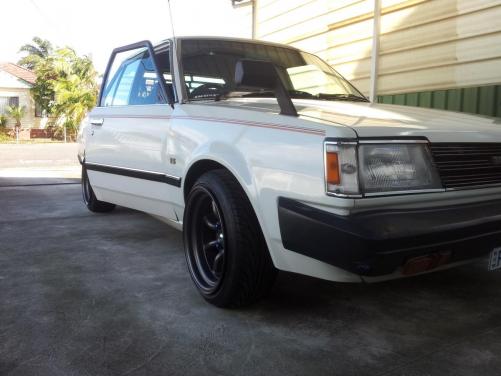
    my names jimmy cruzzin 'RO01LN' around liverpool area....ae71 soon to be f20c lurkin inside
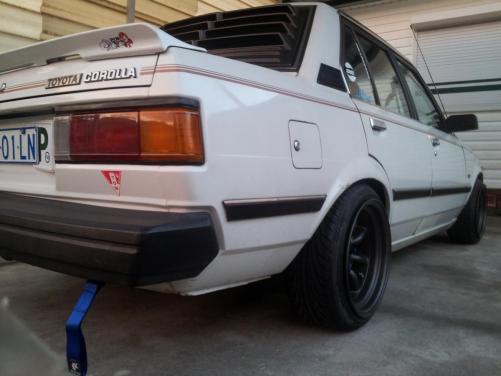
  3. yeah ive always wanted to do somthing diffrent as this is my first project car so i want it to stand out from the rest.....definatley deddicated ROLLA FTW!!
  4. this is just a few pics of wen i first got the car and couple things ive dun to it in the last couple months
  5. hey everyone just purcshed at ae71 rolla from an old granny and planning to do a f20c conversion just wanna get evrybodys thoughts of this.

Account

Navigation

Search

Search

Configure browser push notifications

Chrome (Android)
  1. Tap the lock icon next to the address bar.
  2. Tap Permissions → Notifications.
  3. Adjust your preference.
Chrome (Desktop)
  1. Click the padlock icon in the address bar.
  2. Select Site settings.
  3. Find Notifications and adjust your preference.