Skip to content
View in the app

A better way to browse. Learn more.

rollaclub.com

A full-screen app on your home screen with push notifications, badges and more.

To install this app on iOS and iPadOS
  1. Tap the Share icon in Safari
  2. Scroll the menu and tap Add to Home Screen.
  3. Tap Add in the top-right corner.
To install this app on Android
  1. Tap the 3-dot menu (⋮) in the top-right corner of the browser.
  2. Tap Add to Home screen or Install app.
  3. Confirm by tapping Install.

Njohno

Members
  • Joined

  • Last visited

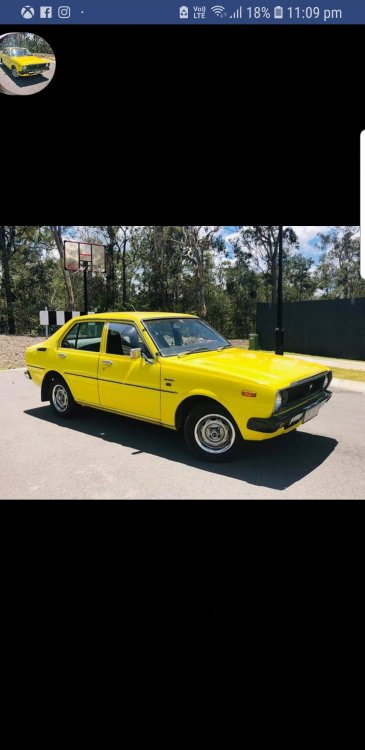
  1. Hi all I'm brand new around here buying my first rolla this week I'm very amateur when it comes to mecahnical work but hoping to learn more I have found a stock ke30 unmolested besides a 4k engine swap for a very decent price is there anything i should look out for when buying and also if anybody could point me in the direction of a mechanic or engine place in brisbane that will do some work on it or is used to working on them i am trying to do as much research as i can and am very willing to learn.
Account

Navigation

Search

Search

Configure browser push notifications

Chrome (Android)
  1. Tap the lock icon next to the address bar.
  2. Tap Permissions → Notifications.
  3. Adjust your preference.
Chrome (Desktop)
  1. Click the padlock icon in the address bar.
  2. Select Site settings.
  3. Find Notifications and adjust your preference.