

bukwheatus
Members
-
Joined
-
Last visited
-
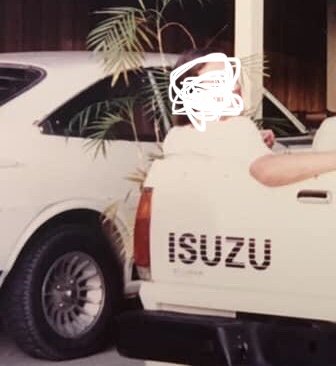
Fun car, my first and favorite. The stick was funny…stuck angled into the dash, much like an Alfa Spider
-
My only pic of it. By this time, I’d removed most of the fiberglass, as it was rotten and falling apart
-
I want to say the body kit was installed by ASC or Griffin
-
bukwheatus joined the community
-
The flares weren’t metal…all fiberglass, sans the rear window. To the best of my knowledge, it was a Southern (U.S,) Toyota exclusive and sold in tiny numbers. I received mine in 1990. It had been bought new in Warner Robbins, GA by my stepmother, then passed through the family, until I got it. I drove it for about a year, then sold it to a cousin, who promptly flipped and totaled it. It was white, manual tranny, RWD, 8-track still in the dash (I’d hide weed in it). The car you have above, plus a yellow version, are the only others that I’ve ever seen 😞
