Skip to content
View in the app

A better way to browse. Learn more.

rollaclub.com

A full-screen app on your home screen with push notifications, badges and more.

To install this app on iOS and iPadOS
  1. Tap the Share icon in Safari
  2. Scroll the menu and tap Add to Home Screen.
  3. Tap Add in the top-right corner.
To install this app on Android
  1. Tap the 3-dot menu (⋮) in the top-right corner of the browser.
  2. Tap Add to Home screen or Install app.
  3. Confirm by tapping Install.

83rco

Members
  • Joined

  • Last visited

Everything posted by 83rco

  1. hey people iv looked up every where seeing about the rb mounts used for the conversion do u just use the ca18det cast mounts with the rbs rubber mounts or have to change solid mounts to rb mounts as well tried to find some info but no luck Thanks qckrolla
  2. 83rco posted a topic in Rollaclub Rides
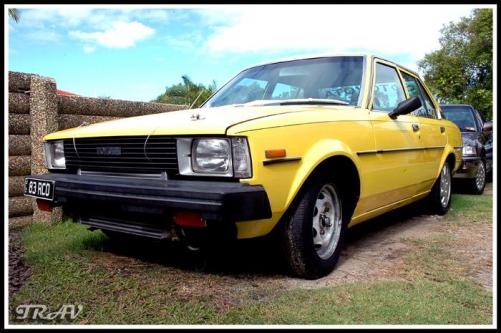
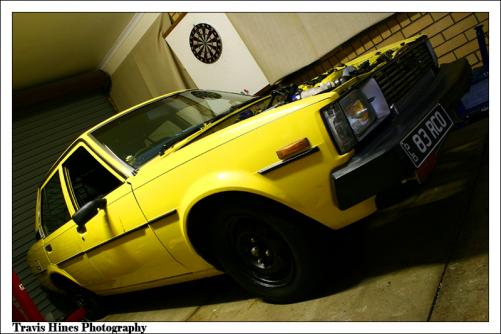
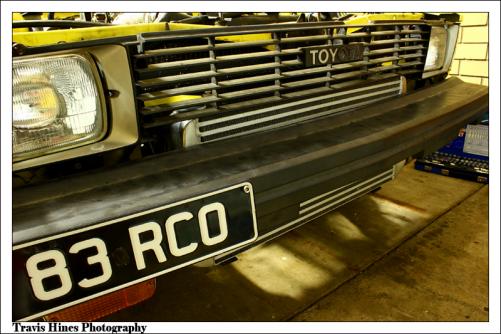
    hey guys been looking through the site for a while now though i would post some pics of my car its a ke70 meant to be a daily but its to much of a shit box to keep running haha its got a ca18det conversion in it with full forged and a top mount t3 t4 snail hanging of it a and just all the other little shit done to it heavy duty clutch just trying to figure out suspension set up for it now for drifiting leave some coments on it if u plz will get more fotos of new turbo set up soon
Account

Navigation

Search

Search

Configure browser push notifications

Chrome (Android)
  1. Tap the lock icon next to the address bar.
  2. Tap Permissions → Notifications.
  3. Adjust your preference.
Chrome (Desktop)
  1. Click the padlock icon in the address bar.
  2. Select Site settings.
  3. Find Notifications and adjust your preference.