

cobba
Members
-
Joined
-
Last visited
Everything posted by cobba
-
Yeh mate, just the standard block on back of head, it doesnt stick out as much as the complete dizzy and i still have that on. It fits pretty neat. I have made the engine mounts my self to position the motor iin the right spot.
-
Yeh mate i am just running the standerd thermostat, seems to work fine. I don't get any air looks and the heater flows good?
-
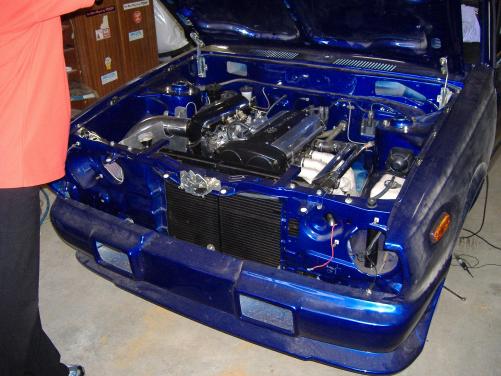
I have moulded Fibre glass bumpers front and rear, looks weird from this angle but will show you some full size pics soon:) Chris
-
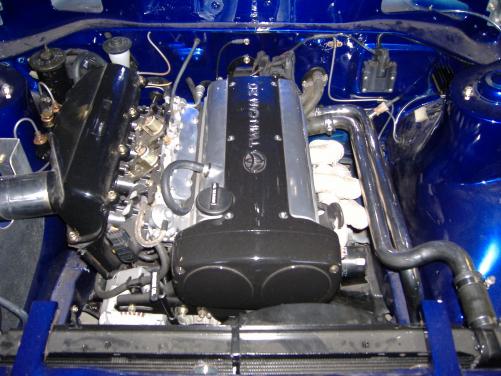
Thanks Mate, Tried it tonight, here is a pic, it was taken a while ago. Its a bit cleaner now:) Will load up some more soon. Chris
-
Hello, My Name is Chris, i live in Perth. I will post some more pics and an in depth wright up when i get time. But i own a ke30 and have just about finished the conversion. I will load the pics if someone can tell me how to lower there MB?. Cheers :D Chris.

