

skidmarks
Members
-
Joined
-
Last visited
Everything posted by skidmarks
-
yea i duno about coilovers, a bit pricey, ill have a look see.
-
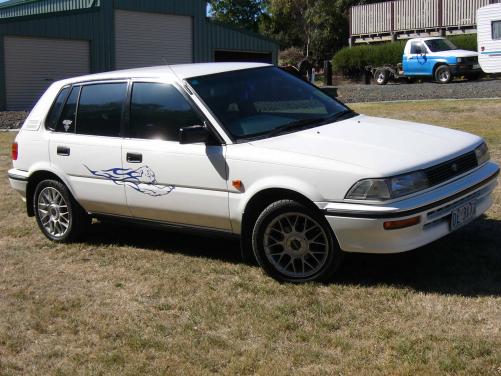
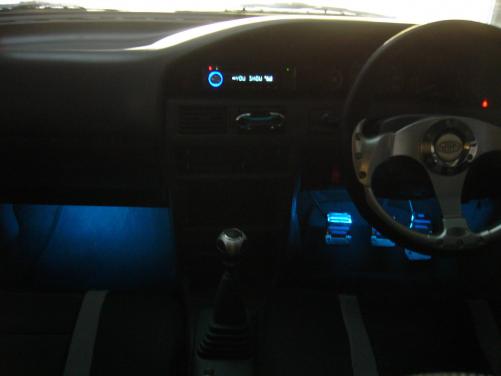
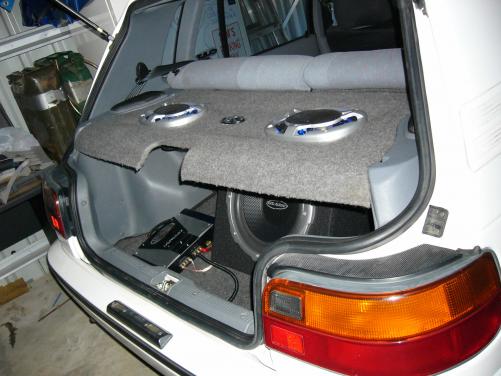
Hey this is my ae92 ive had it for nearly a year now and yea i love doin all the mods myself its so much better (except when something stuffs up!!!) But my dads a mechanic so yea that makes it easy. So far since i got it ive installed a pod filter, 4in panasonic speakers up front, us audio 6x9s in the parcel shelf (with LEDs in the grilles), Us Audio Amp and 12in Sub, Saas pedals, gear knob, handbrake lever and steering wheel, Kenwood head unit (forgot what it is but it has usb and aux inputs and all that), blue neons under the dash, missle switch to control the neons and 6x9 leds, paris stickers vinyl/sticker on the doors and yea, a few other bits and pieces. I'm planning to lower it when i get new shockies and put some extractors on it. Any good ideas for a DIY?
-
Name: Sam Car: AE92 Csi Hatch Occupation: School Mods: 15in rims, Exhaust System, Pod Filter, Upgraded Audio system, sub and amp, neons under dash, Saas Steering wheel, gear knob and handbrake lever, Panther vinyl along doors, a few other bits and pieces. Upcoming mods: Extractors, new shocks and lower a bit more.


