

TRDKID
Members
-
Joined
-
Last visited
-
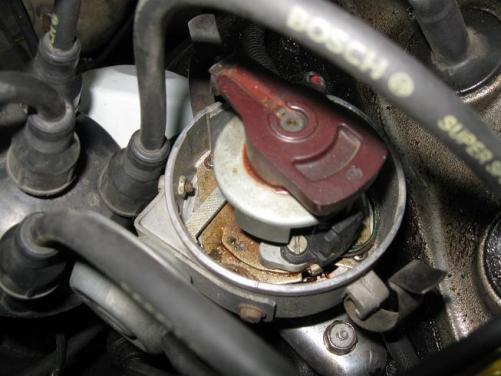
the colors coming out of the dizzy are red black and brown, these look to be changed even tho its very stock looking inside the dizzy the wires are black with red stripe , black with green stripe and the third is just black
-
it says bosch on it so not a jaycar kit :D
-
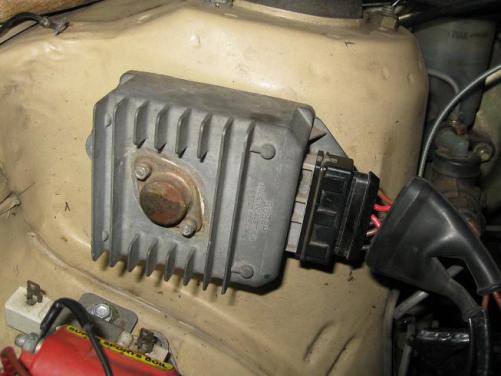
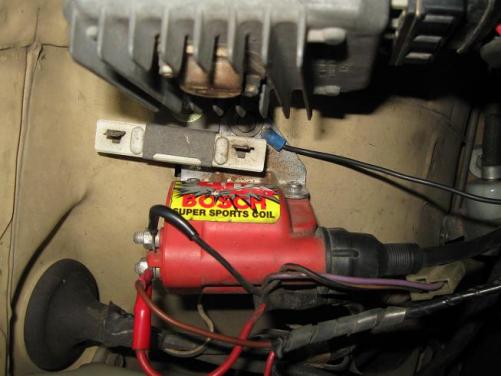
Hi fellas, I’ve had my ke70 running perfect with my 5K for ages now but its now electronically rooted! I've lent the car to my brother and he’s messed around with the coil + igniter setup and now I can’t remember how i originally wired it and have lost my diagrams on how to wire it :D so this is what i have distributor with 3 wires bosch igniter 6 pin bosch GT40 coil any help greatly appreciated
-
I'm using the standard 5k manifolds both intake and exhaust...I'm located in melbourne, glen waverly
-
hi everyone, I'm new to this forum and rollas in general...i purchased a ke70 about a month ago and since then i've recently punched a hole in the standard 4KC :D i did some quick research and got hold of a 5k motor and installed the motor over the w/e in my garage with a mate....now motor is in and bolted up to the gearbox etc but I'm having dramas with vac lines etc...I'm sure some one on here has done the conversion also so I'm after some detailed pictures and perhaps some pointers on how they went about the conversion and any particular things that needed doing :S any help greatly appreciated kind regards Vardis D melbourne sc250@hotmail


