Skip to content
View in the app

A better way to browse. Learn more.

rollaclub.com

A full-screen app on your home screen with push notifications, badges and more.

To install this app on iOS and iPadOS
  1. Tap the Share icon in Safari
  2. Scroll the menu and tap Add to Home Screen.
  3. Tap Add in the top-right corner.
To install this app on Android
  1. Tap the 3-dot menu (⋮) in the top-right corner of the browser.
  2. Tap Add to Home screen or Install app.
  3. Confirm by tapping Install.

supershaneae86

Members
  • Joined

  • Last visited

  1. where were you when you got defected dude??was it a bike copper with a big ugly head and munted up teeth??
  2. same here on ke70.com I log in but can't post anywhere.that was like a monthe ago.heaps frustrating..
  3. hahaha.good nyt that one!!!
  4. that brdracing site is sick! wish they had that for 4k's!
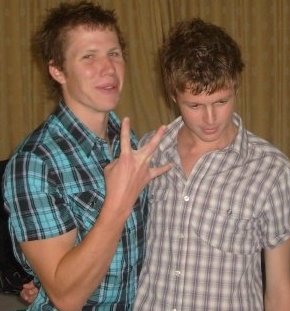
  5. I'm the ganksta on the left.bwahaha.thats in sydney on the boys topgear trip.was soooo good.!!!
Account

Navigation

Search

Search

Configure browser push notifications

Chrome (Android)
  1. Tap the lock icon next to the address bar.
  2. Tap Permissions → Notifications.
  3. Adjust your preference.
Chrome (Desktop)
  1. Click the padlock icon in the address bar.
  2. Select Site settings.
  3. Find Notifications and adjust your preference.