KyleM
Members
-
Joined
-
Last visited
Everything posted by KyleM
-
Tried calling a heap of places this morning, all had pretty much nothing.. the only part that we can find is the eye bushes.. Does anyone know if the lower control arms are interchangable with ke20 etc.. one place we called gave us part numbers for the lower control arm and when we looked it up in the catalogue it turned out to be under ke20.. :dance: It would be good if they were, ke20 parts are way easier to get. We did find out the genuine Toyota part numbers for them all.. just can't find the parts. Its prooving to be pretty difficult If anyone has any other help of ideas for the other stuff the info would be appreciated. Cheers Kyle.
-
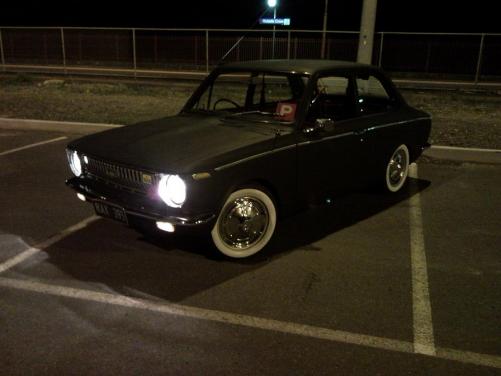
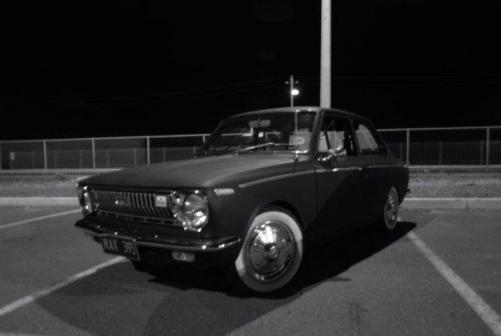
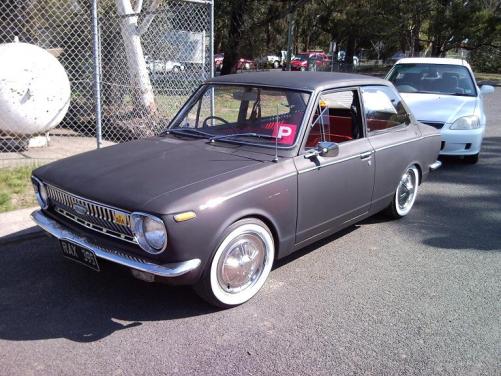
Got this the other day, most of you have probobly already seen it on here. Well, i got my p's last month and went the next 4 weeks without a car which was pretty anoying.. so after getting sick of that i desided i may aswell get a little cruiser thats cheap to run etc to have so i don't have to borrows mums car everyday lol.. Name: Kyle Car: 68' KE10 Motor & Driveline: Rebuilt Stock 1k, 4spd, Extractors.. Exhaust Suspension & Brakes: Suspension = Really low, has KE30 discs on the front. Wheels & Tyres: 14" Steelies with shiny Crown hubbies Interior: Redd :dance: Body: Sprayed matt black Other: Cool little cruiser/Cheap to run daily.. Got some photos from the other night after i got it. And one from the next day at school :cool: What do you guys think??