suwan4910
Members
-
Joined
-
Last visited
-
-
-
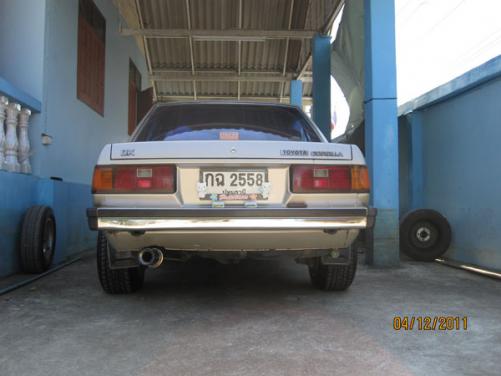
Next item is a titanium twin end exhaust. 2.3 "I ordered a specially made for Toyota ke70.


-
cusco 116 471 A cusco 116 471 B

-
Cusco 116 473 A Pillowball Tension Rod Front Levin/Trueno AE86


-
The next item is a wheel with tires, I chose the SSR MK-3 wheels. Front Wheel Style 15 × 7.5J +19 Tire AD08 195 / 50R15 Rear Projection 15 × 8J -0 Tire AD08 205 / 50R15


-
The next item is watt link of SSWork. From Japan By the pros Normal of the undercarriage, hard coil, general coil, time it collapses - stretch It will sweep to the bend. It will cause the shaft to move its left-right side along its sweep. But Watt's link, it will keep the shaft does not move the left-right side better. In the short-term collapse, it will hardly move at all. Improved access to the curve. The disadvantages are only tight. Is very high maintenance

-
KTS front shock absorber with FC3S brake kit, which I assembled face shocks to fit into the daily use. And brake discs to be used as a mini R53 plate size 276 × 22 mm.


-
Ke70 new fog lights are very rare. Have come from Japan


-
corolla ke70 project thailand


-
-
The author of this car.


-
-
The 5k ke70 Watanabe wheels from 8.5 to 9.5 by the 14's tune by my boss.