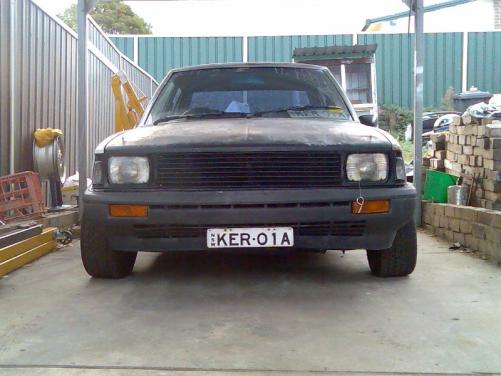
DRFT_ROLLA
Members
-
Joined
-
Last visited
-
mate i live near hurstville in sydney NSW it would be nice to get a group of ke and ae rolla for a kruz or drift . i got 3 mates have old rollas with twin cam
-
true but with decompressed pistons and a 3mm copper head gasket it should be cool . i hope lol
-
hi guys thought you might like to see my project . hope you like it mode are .... T18 locked diff, s14 SR20de vvt motor, s13 silvia 5speed, custom manifold , S15 T28 bb turbo , apexi 550cc injectors , short shifter, front mount cooler, oil relocater / cooler, brass button clutch, custom tail shaft, ..... so far i got to weld brackets in the front and rear of car for strengthen chazzy +roll cage also got sigma lower control arms for more camber here is some pics i got ANY IDEAS WILL HELP SO FEAL FREE
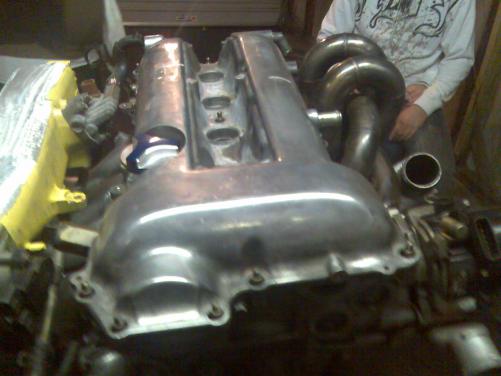
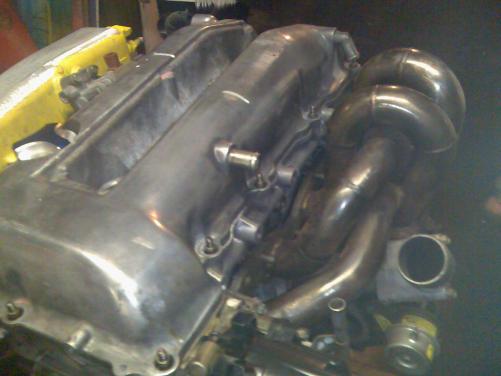 sorry buddyBRO THATS HOT I'm BUILDING A DRIFT ROLLA TOO WHERE ARE YOU LOCATEDYEAH ITS EASY TO CHANGE THE ARMS THEY GO STROUGHT IN AND YOU GET 16 D NEG CAMBER
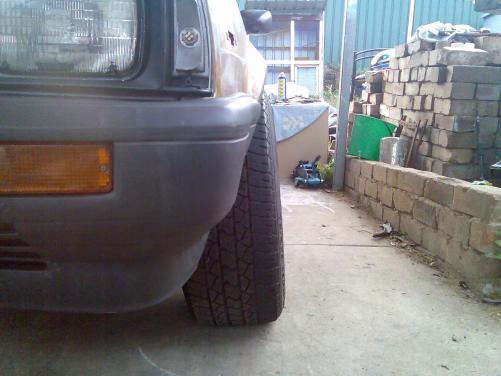 I'm BUILDING A KE70 ROLLA SO FAR ITS GOT T18 LOCKER DIFF ,SIGMA LOWER CONTROL ARMS . WORKED 5K WITH A WEBBER ELECTRIC FUEL PUMP CAMS AND SO ON . BUT IT NEEDS MORE POWER .HEAPS MORE ! I WANT A 4AGE BUT don't KNOW WHAT ONE CAN ANY ONE GIVE ME SOME TIPS ON WHAT WOULD BE MORE APPROPRIATE FOR DRIFTING