Skip to content
View in the app

A better way to browse. Learn more.

rollaclub.com

A full-screen app on your home screen with push notifications, badges and more.

To install this app on iOS and iPadOS
  1. Tap the Share icon in Safari
  2. Scroll the menu and tap Add to Home Screen.
  3. Tap Add in the top-right corner.
To install this app on Android
  1. Tap the 3-dot menu (⋮) in the top-right corner of the browser.
  2. Tap Add to Home screen or Install app.
  3. Confirm by tapping Install.

samke11

Members
  • Joined

  • Last visited

Everything posted by samke11

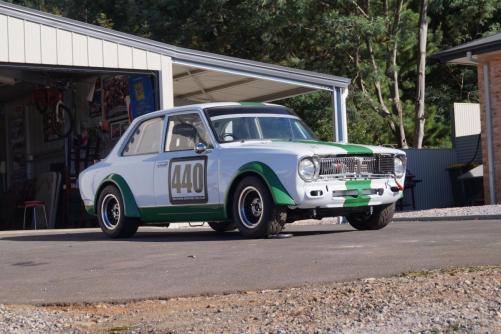
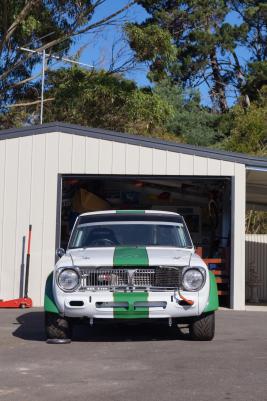
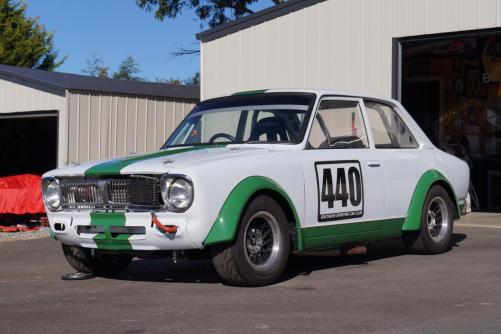
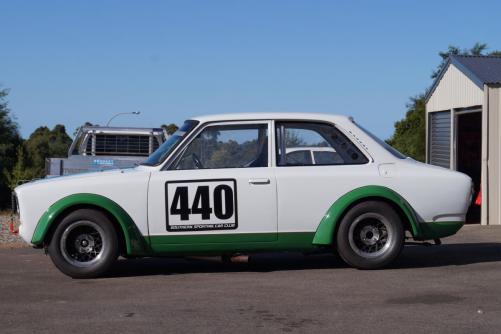
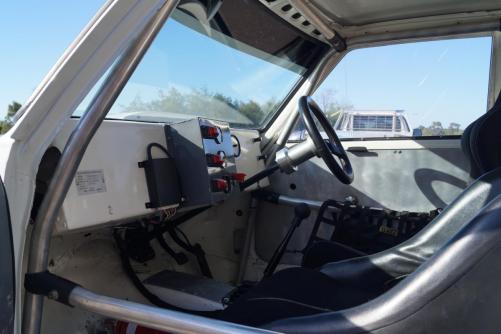
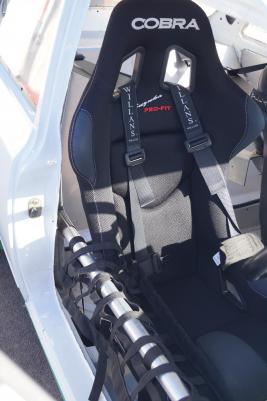
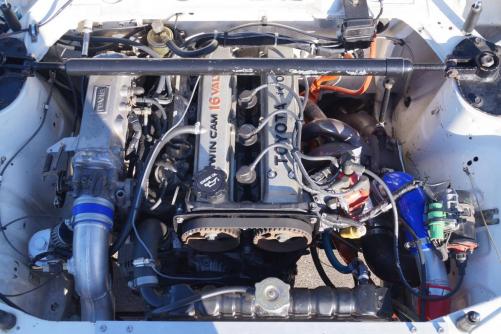
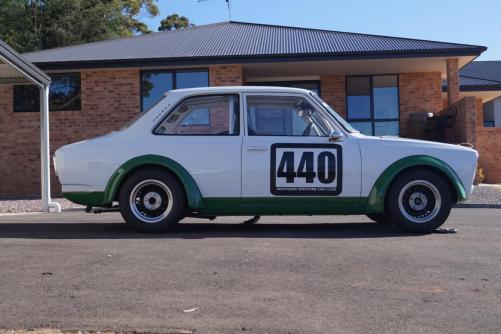
  1. [B]Name[/B]: Sam [B]Car[/B]: 1968 ke11 [B]Motor & Driveline[/B]: 4agze turbo t50 box [B]Suspension & Brakes[/B]: dampner adjustable front shocks with magna discs and vs commodore callipers, custom 4 link rear suspension but still has origional springs flipped with lowering blocks. [B]Wheels & Tyres[/B]: 13x7 hot wired wraped in yokahama advan semi slicks [B]Interior[/B]: stripped interior with full bolt in roll cage, aluminum dash with smith gauges, cobra race seat and its origan race seat for the passenger side [B]Body[/B]: gutted and lightend with bolt on fiberglass flairs [B]Other[/B]:

Account

Navigation

Search

Search

Configure browser push notifications

Chrome (Android)
  1. Tap the lock icon next to the address bar.
  2. Tap Permissions → Notifications.
  3. Adjust your preference.
Chrome (Desktop)
  1. Click the padlock icon in the address bar.
  2. Select Site settings.
  3. Find Notifications and adjust your preference.