jcortez
Members
-
Joined
-
Last visited
-
All other inputs in dash are working fine. Clock, blinkers, charge light, oil etc. Just the speedo and tach.
-
Ok guys, figured it the speedo cable at the back wasnt plugged in. Plugged it back in and no luck. I googled and found an rb30 speedo cable should work. Can anyone else confirm this?
-
Sorry guys, newby to the forums. From what I saw I can see the clock is working just not the speedo & tacho not working. I will check the wires at the back of the cluster when I get home.
-
Hi all, Just purchased a ke70 sr20det and the dash isn't working. Its a stock 180sx ecu. Anyone have any ideas?
-
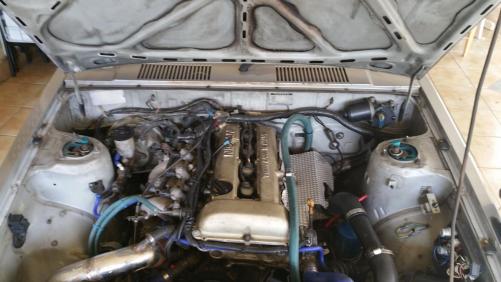
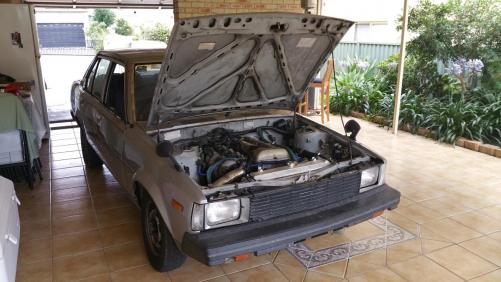
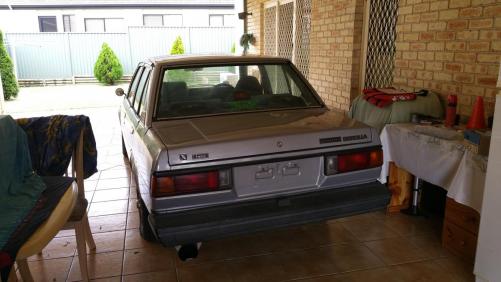
Hi all! New member new weekend toy! I have always been a Toyota fan starting off with a Toyota Sportivo then 2x Lexus is200 now this. Found this bargain on AE86DC and could not resist to pick it up. Has some rust spots which i will be fixing shortly. KE70 w/ sr20det running gear incl. gearbox (unsure if red or blacktop) Stock 180sx ecu all electrics work except speedo/tacho T28BB turbo + Front Mount Hilux diff - 4:11 diff gears (apparently) 3" Tailshaft Big fuel setup - Surge Tank + 2x external fuel pumps Oil cooler + Oil Filter relocation Exedy HD clutch Initial plans Get rust spots repaired (only minor) fix up interior and engine bay find some new wheels put rego Future plans not much is really needed as happy with its state. maybe a 2871 turbo and supporting mods respray + shaved engine bay all feedback is appreciated :) If anyone knows how to wire dash to stock 180sx ecu that will be great!