aaron69
Members
-
Joined
-
Last visited
Everything posted by aaron69
-
thanks for suggestiosns guys, whenever i do nefin new ill post pics next thing i am doing is getting some clear tail lights
-
Yeah i bought my car yesterday and figured out it has 3air horns in it lol, they arent wired up yet, when i wire them up it till be funn lol..
-
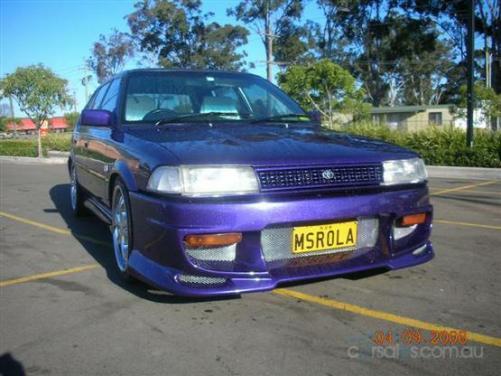
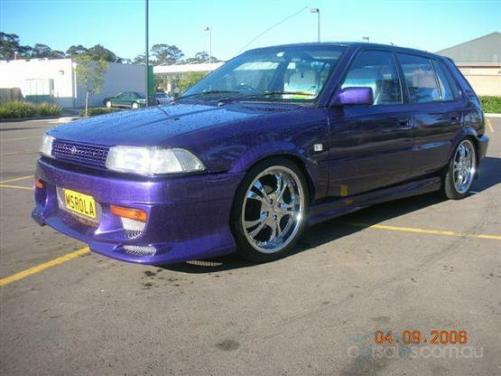
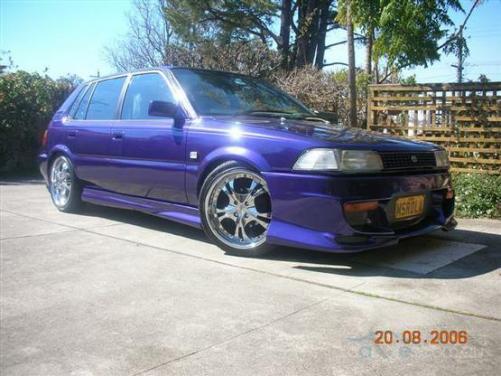
Ok guys here is my baby.. Model- 1992 CSi Colour- PHANTOM PURPLE Engine- 4afe wait for it........with a POD FILTER! & Exhaust Wheels- 17" Chrome Starcorp tracers Stereo- Rockford Fosgate head unit & front speakers Amped up with a sony explode amp 1x 12" sound stream sub, & back speakers amped up with a crazy 4channel Sound Stream Amp-makes alot of bass for one 1 sub Body Mods- Full jet speed body kit Chrome M3 mirrors Lowered Under car neons Future Plans - Make her faster-no set plans yet-stronger engine that can be built on as time goes by Interior - Leather & Suede CAI A few pics below- hope you all like :)