Lockatron
Members
-
Joined
-
Last visited
-
Oh it's for sale now too if anyone wants to buy it! I'll put an ad up in the for sale section here. New baby. Can't fit seat in the back of a KE20!
-
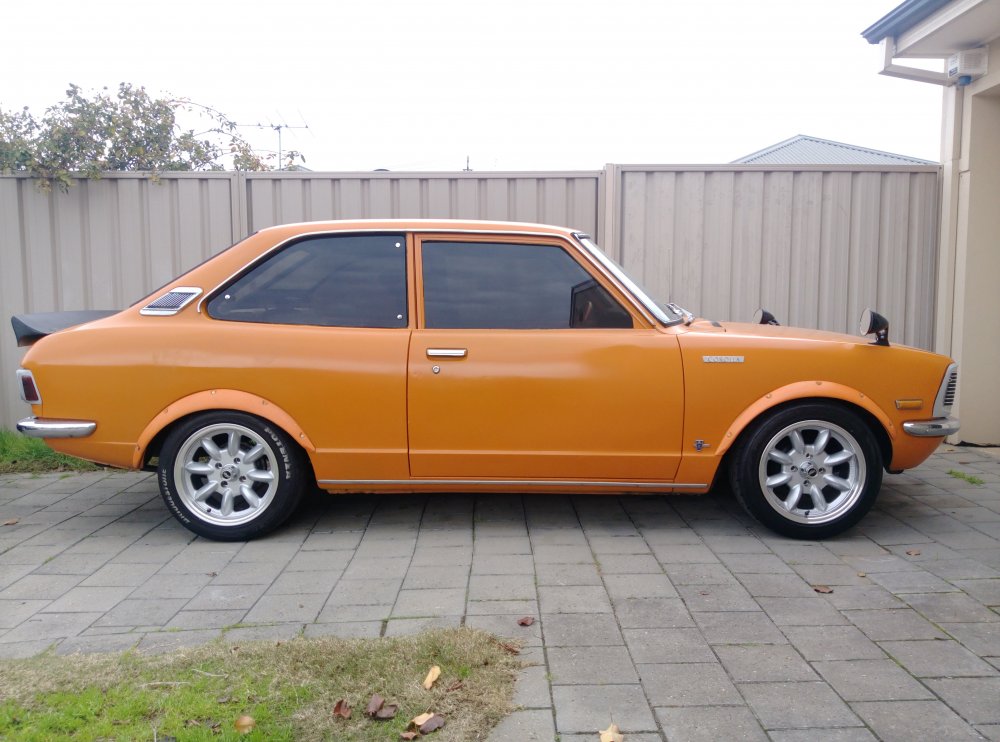
Yeah 15x7+10 offset. Fronts scrub so gotta get some smaller tires
-
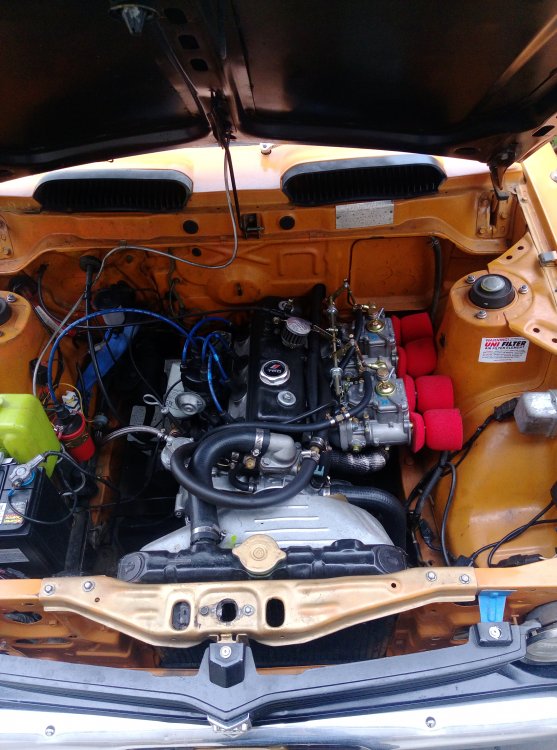
Yeah it was half done. I put on the Carbies new springs muffler wheels and spoiler so far.
-
Yeah it's pretty clean. Needs a touch up here and there and the interior could use a new roof lining but she ain't bad.
-
R33 gtst skyline
-
Yeah I moved here in Feb from Melbs although I bought it here. I've changed it up a bit though, different wheels, spoiler Carbies and whatnot.
-
Yeah it's pretty clean. Needs an interior retrim but it ain't bad. Had it on the dyno the other day and made 60rwkw from a 1200cc! Power!!!
-
Some more pics

-
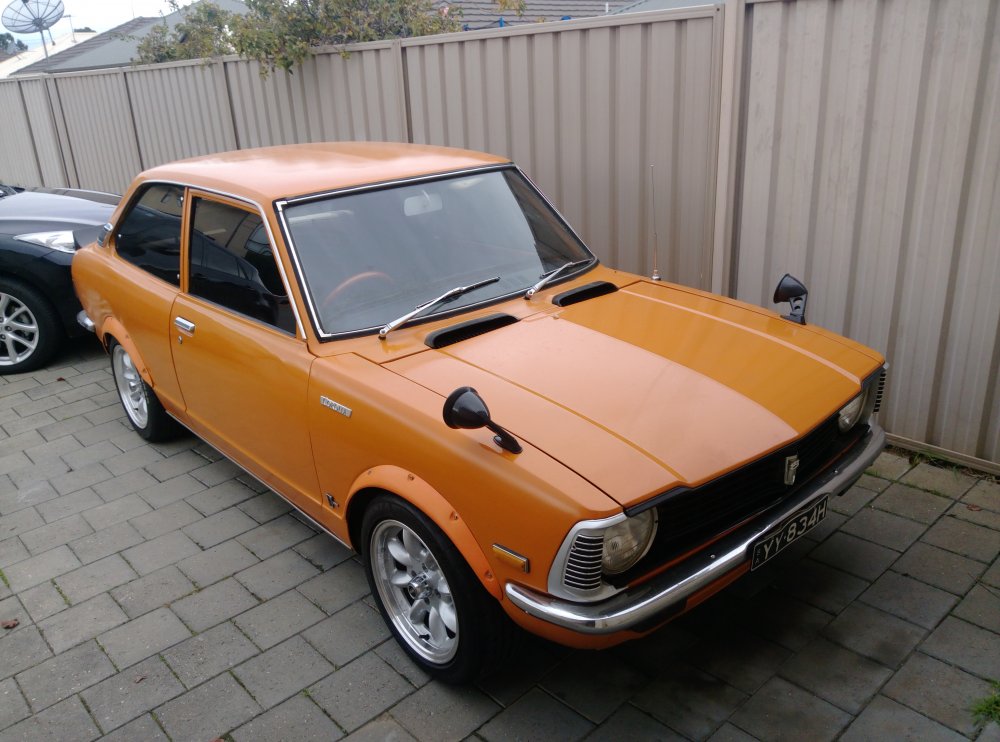
Hey all. Just wanting to introduce myself and say hi. I'm new to the club having never had a rolla before now. Hoping to get some future advice on anything Toyota related and hope I can share some if my limited knowledge as well! Here's my 74 KE20 two door. It's running a 3kc motor with a stage 4 Auckland cam, trd pistons, twin dual barrel webber Carbies, shimmed oil pump, extractors exhaust and all that crap. There's some other stuff too that I forget but my god it's fun to drive! Anyway hello and hopefully can join one of your meets in the future. Cheers