DerpyZebra
Members
-
Joined
-
Last visited
-
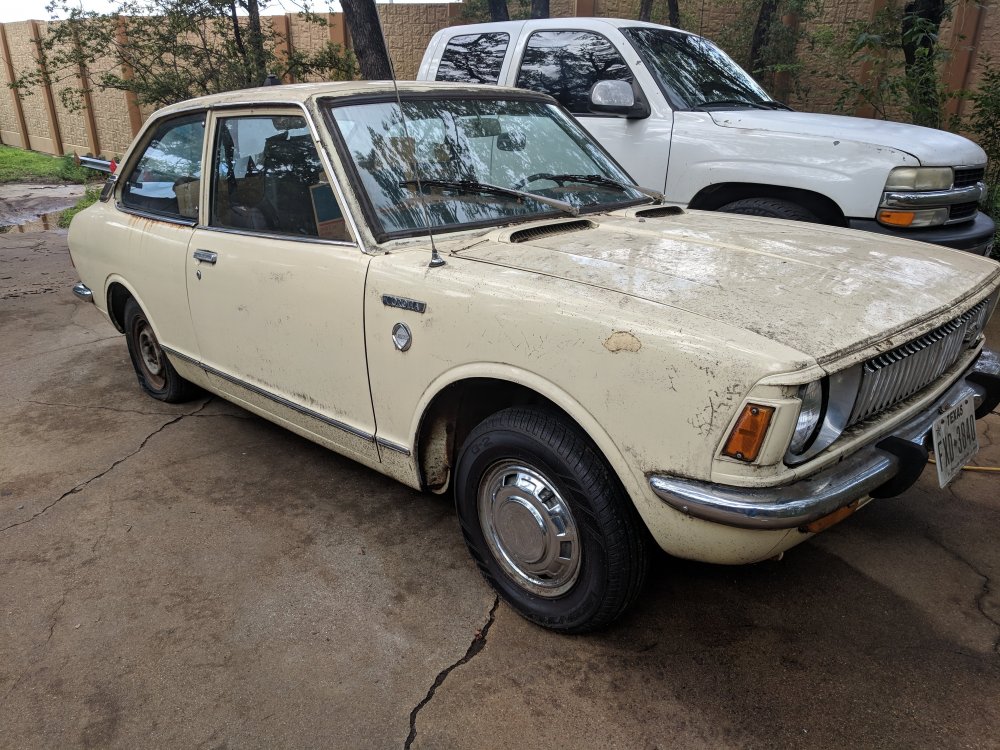
Name: Chase Car: 1971 KE20 Motor & Driveline: Stock, but I'll switch it out if a good deal catches my eye. Suspension & Brakes: Stock. I'm planning on upgrading the suspension since my corolla drives like a Sherman tank right now. Wheels & Tyres: Stock. I've read on here I can change the wheel spoke pattern. There aren't many options for the stock pattern. Interior:Stock, and rough. The original seats need a good helping of TLC. I figure reupholstering would be a last step for the car. Body: This little devil has been through the works. Rear end collision on the right drivers side (fixed by previous owner); rust under both quarter windows; some hail damage; and a MAACO paint job. Other: I bought this car and a 1983 Celica from a recently deceased neighbor's family. They were from out of state, and originally planned on scrapping both cars. I was more than lucky to have the opportunity to buy both. Each car came with immaculate service records, detailing everything down to the simplest lubrication of the door hinges; stretching back to the first 25,000 miles on the corolla. Buying the two cars pushed my car stock to four, so I had to part ways with the celica to make room for the repair cost needed for the corolla. A giant smile stretches across my face every time I drive the corolla. The previous owner also stock piled enough spare parts to almost make another car.