Skip to content
View in the app

A better way to browse. Learn more.

rollaclub.com

A full-screen app on your home screen with push notifications, badges and more.

To install this app on iOS and iPadOS
  1. Tap the Share icon in Safari
  2. Scroll the menu and tap Add to Home Screen.
  3. Tap Add in the top-right corner.
To install this app on Android
  1. Tap the 3-dot menu (⋮) in the top-right corner of the browser.
  2. Tap Add to Home screen or Install app.
  3. Confirm by tapping Install.

srhill

Members
  • Joined

  • Last visited

  1. srhill replied to Josho's topic in Tasmania / Hobart
    doin one of them would be 2 easy i wanna do sumfin completly different
  2. srhill replied to Josho's topic in Tasmania / Hobart
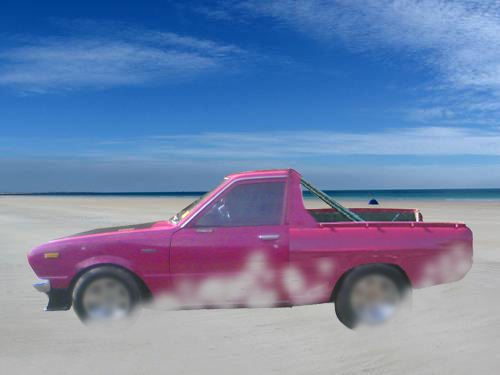
    was thinkn bout gettin a shit ke30 n cuttin it so wanted 2 see what it would look like as ute
  3. srhill replied to Josho's topic in Tasmania / Hobart
    used the pink bus thats always parkd outside co-op on argyle st and a dato ute 4 the tray
  4. Nick name: herb Real name: sam White 75 Ke30 stock
Account

Navigation

Search

Search

Configure browser push notifications

Chrome (Android)
  1. Tap the lock icon next to the address bar.
  2. Tap Permissions → Notifications.
  3. Adjust your preference.
Chrome (Desktop)
  1. Click the padlock icon in the address bar.
  2. Select Site settings.
  3. Find Notifications and adjust your preference.