Skip to content
View in the app

A better way to browse. Learn more.

rollaclub.com

A full-screen app on your home screen with push notifications, badges and more.

To install this app on iOS and iPadOS
  1. Tap the Share icon in Safari
  2. Scroll the menu and tap Add to Home Screen.
  3. Tap Add in the top-right corner.
To install this app on Android
  1. Tap the 3-dot menu (⋮) in the top-right corner of the browser.
  2. Tap Add to Home screen or Install app.
  3. Confirm by tapping Install.

watty

Regular Member
  • Joined

  • Last visited

Everything posted by watty

  1. watty replied to watty's topic in Rollaclub Rides
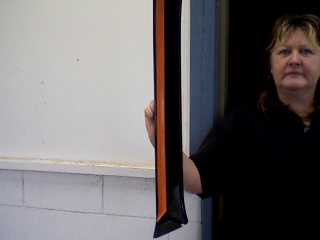
    found out something new today painted this to put in my car came out of hatch but it is an inch to short to fit into seca.
  2. watty replied to watty's topic in Rollaclub Rides
    thanks man the big problem will be when i get to the dashpad. watty
  3. watty replied to watty's topic in Rollaclub Rides
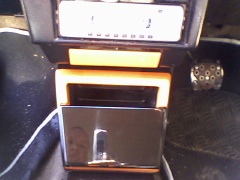
    got some more of dash done today.
  4. watty replied to watty's topic in Rollaclub Rides
    thanks johno now just got rest of dash to do
  5. watty replied to watty's topic in Rollaclub Rides
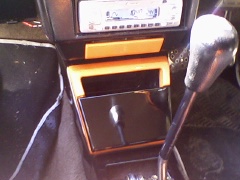
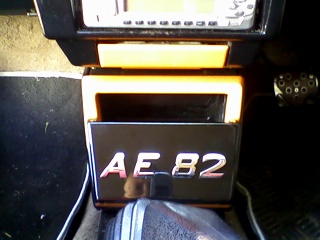
    added the finishing touch to console today.
  6. watty replied to watty's topic in Rollaclub Rides
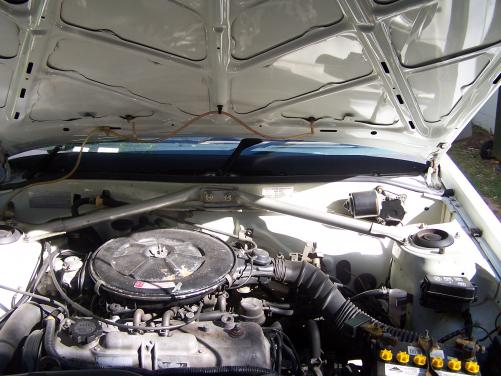
    been tuned about 3 times since i had extractors on have been told the mixture needs fixing which the carbie has to be pulled out for.
  7. watty replied to watty's topic in Rollaclub Rides
    yeah that was me got the scoop from autobahn wish it was 4ag maybe one day.
  8. watty posted a topic in Rollaclub Rides
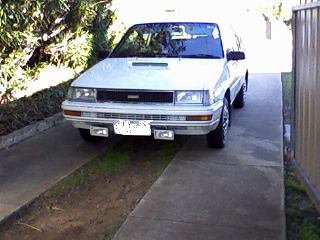
    hi guys new here this is my ae82 seca nothing special had extractors put on never run the same since don`t idle properly slowly doing interior. wayne watt
  9. johno are you colour coding front and rear bumpers if so they look way better sanded down nice and smooth thats how i done mine lot of work but they look good. cheers wayne
  10. johno just undo the bolts under those rubbers wayne

Account

Navigation

Search

Search

Configure browser push notifications

Chrome (Android)
  1. Tap the lock icon next to the address bar.
  2. Tap Permissions → Notifications.
  3. Adjust your preference.
Chrome (Desktop)
  1. Click the padlock icon in the address bar.
  2. Select Site settings.
  3. Find Notifications and adjust your preference.