Skip to content
View in the app

A better way to browse. Learn more.

rollaclub.com

A full-screen app on your home screen with push notifications, badges and more.

To install this app on iOS and iPadOS
  1. Tap the Share icon in Safari
  2. Scroll the menu and tap Add to Home Screen.
  3. Tap Add in the top-right corner.
To install this app on Android
  1. Tap the 3-dot menu (⋮) in the top-right corner of the browser.
  2. Tap Add to Home screen or Install app.
  3. Confirm by tapping Install.

NZKE25

Members
  • Joined

  • Last visited

  1. additional pics can be found here..... http://www.villagephotos.com/pubbrowse.asp?folder_id=1340121
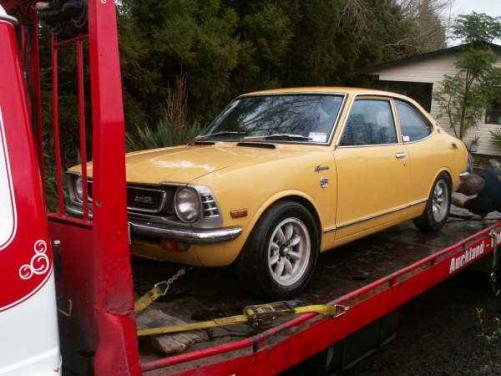
  2. Figured its about time I actually posted rather than just lurked :D Name:Blair Car:'74 KE25 SR Motor & Driveline: 4AGE Bigport running off an AE86 Euro ECU, T50 with Exedy heavy duty clutch, Celica rear end with Hilux d/shaft Suspension & Brakes: Unknown brand of adjustable coilovers, Cressida vented front disc's, oversized front & rear sway bars, stiffened springs and shocks with lowering blocks in rear Wheels & Tyres: 14 inch Minilites, Dunlop FM901's 195 x 60 x 14 Interior: Racetech seat (drivers), remainder stock Body: Stock Other: Oil catch tank, strut brace, 4-2-1 extractors with about a 2 1/4 exhaust
Account

Navigation

Search

Search

Configure browser push notifications

Chrome (Android)
  1. Tap the lock icon next to the address bar.
  2. Tap Permissions → Notifications.
  3. Adjust your preference.
Chrome (Desktop)
  1. Click the padlock icon in the address bar.
  2. Select Site settings.
  3. Find Notifications and adjust your preference.