catz808
Members
-
Joined
-
Last visited
Everything posted by catz808
-
Thanks for the info & for the welcome :bash:
-
Hi all, I'd really like to get a rollaclub sticker but not sure who to ask or anything like that. My husband & I want to run the stickers on our 79 Corollas (he has a 2 door/4 spd., I have a 4 door/5 spd.) in Hawaii to show our support for the club. Any assistance is appreciated!! Thanks!!
-
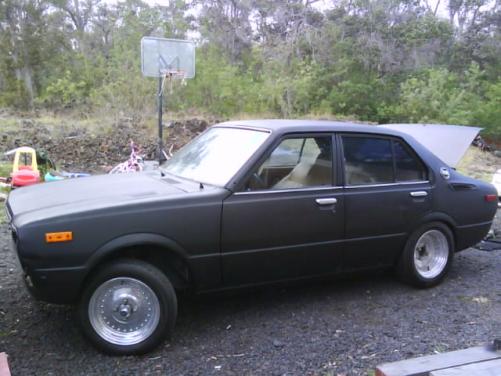
Well, I finally got the Corolla that I wanted! Picked it up last weekend. It's a 79, 4 door, 5 speed. Got some minor rust on the quarter panels but we'll be taking care of that part soon. Right now it's painted flat black cause the guy we got it from has a thing with painting all of his cars flat black. I guess it was a gold color orginally so I might go back to that or paint it blue to match my husband's 2 door 79. Husband's working on it as we speak. Nothing on it, pretty stock, just centerlines at the moment but who knows what else is going to happen to it. Wish me luck!! Any ideas are greatly appreciated!!