

wantacoupe45
Members
-
Joined
-
Last visited
Everything posted by wantacoupe45
-
Sweet As. Funny as I have a Yellow 55 Coupe rust here and there but it doesn't look as cool or as powerful as yours. Sorry for stealing the thread but yours is its coming together sweet.
-
That is exactly what I want to do to my Ke55 Coupe, Ke35 grill, bumpers, etc. Thanks for the inspiritation
-
When I got the beast. http://www.rollaclub.com/board/gallery/image/8539-p1010793jpg/
-
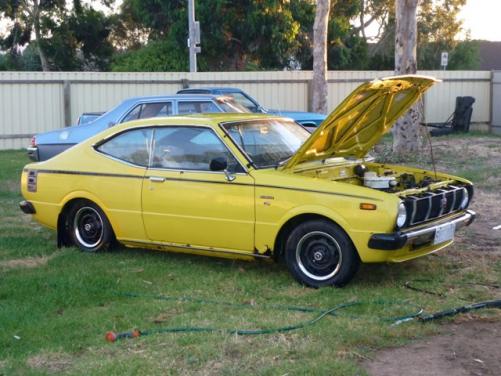
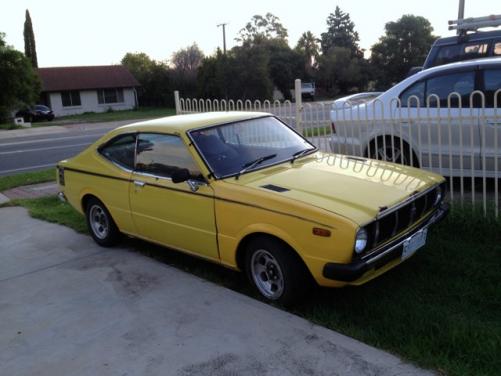
Name: Walker Car:1980 KE55 Hardtop/ Coupe Motor & Driveline:4K granny until previous owner put Ke70 carby and didn't put it in right, 4 Speed Suspension & Brakes:Cut front springs and stock rear Wheels & Tyres:Stockies with Chrome outer rings and toyota caps Interior:Stock Body:Hardtop, rust here and there Other:Wicked car for $600 only done 180,XXX full history and my first offical rolla Totally Granny Spec. Get some pictures when the camera charges. :bash: :bash:

