Skip to content
View in the app

A better way to browse. Learn more.

rollaclub.com

A full-screen app on your home screen with push notifications, badges and more.

To install this app on iOS and iPadOS
  1. Tap the Share icon in Safari
  2. Scroll the menu and tap Add to Home Screen.
  3. Tap Add in the top-right corner.
To install this app on Android
  1. Tap the 3-dot menu (⋮) in the top-right corner of the browser.
  2. Tap Add to Home screen or Install app.
  3. Confirm by tapping Install.

zeph_KE70

Regular Member
  • Joined

  • Last visited

Everything posted by zeph_KE70

  1. We paid $1900 with extra rims, manual, all books and rego :happy: Ill be posting more pics tomorrow!
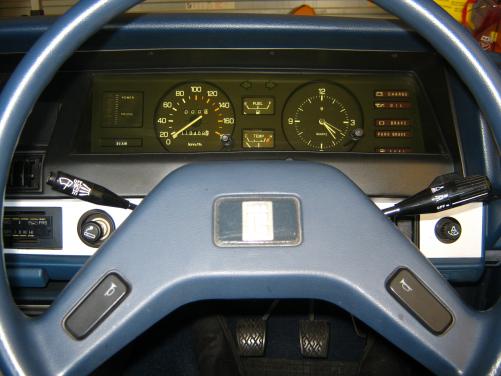
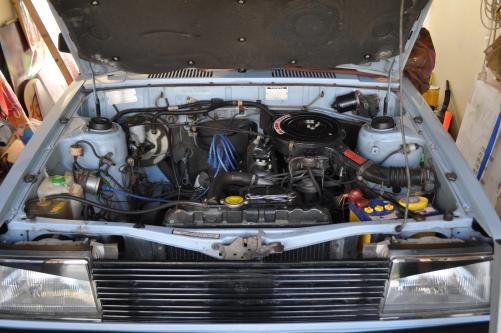
  2. Hey all, just got my first car today, after about 9 months of searching for a good enough ke70 i found one. I'm 16, and this is my project car with dad. Stock and pretty much rust free, its a good start. :dance: Engine bay. Stock 4k-c Perfect interior. I will post more pics tomorrow due, to its getting late, and i have to clean up ect. :yes: Stay tuned!
  3. amazing, good job!
  4. zeph_KE70 replied to Josho's topic in Rollaclub Rides
    nice! :y:

Account

Navigation

Search

Search

Configure browser push notifications

Chrome (Android)
  1. Tap the lock icon next to the address bar.
  2. Tap Permissions → Notifications.
  3. Adjust your preference.
Chrome (Desktop)
  1. Click the padlock icon in the address bar.
  2. Select Site settings.
  3. Find Notifications and adjust your preference.