Skip to content
View in the app

A better way to browse. Learn more.

rollaclub.com

A full-screen app on your home screen with push notifications, badges and more.

To install this app on iOS and iPadOS
  1. Tap the Share icon in Safari
  2. Scroll the menu and tap Add to Home Screen.
  3. Tap Add in the top-right corner.
To install this app on Android
  1. Tap the 3-dot menu (⋮) in the top-right corner of the browser.
  2. Tap Add to Home screen or Install app.
  3. Confirm by tapping Install.

driake

Members
  • Joined

  • Last visited

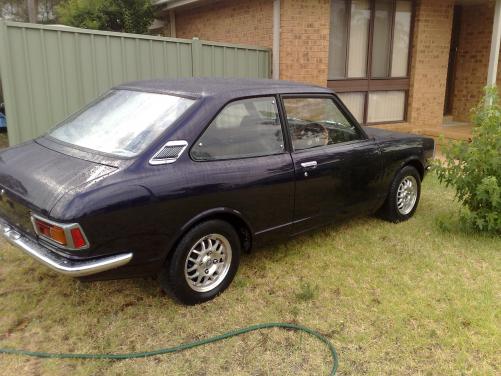
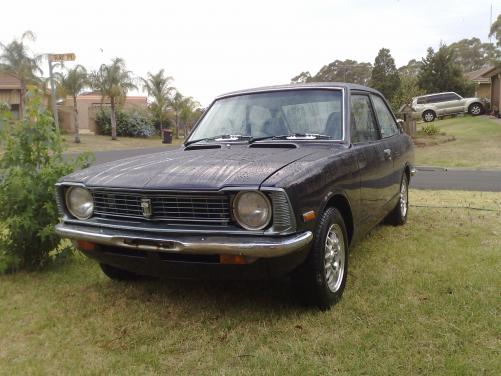
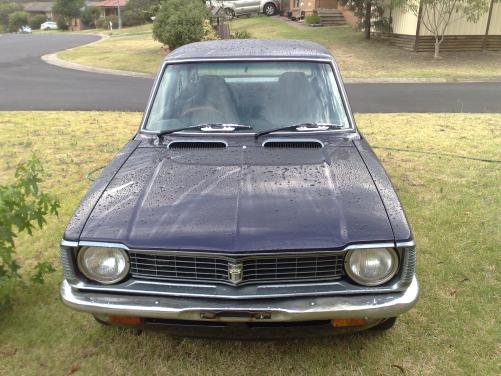
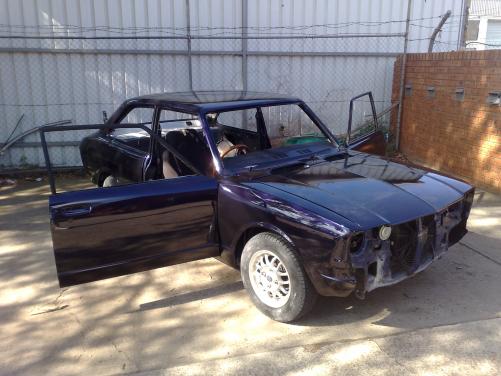
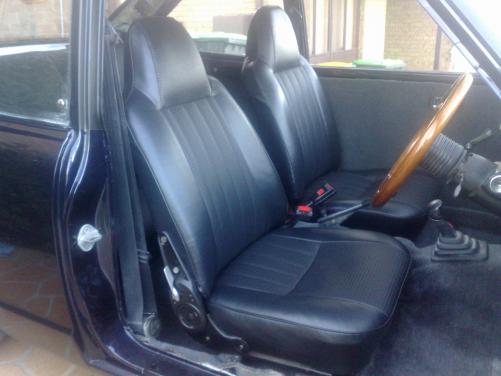
  1. Name: Brett. Car: 1973 KE20 Nearly Finished Project! Motor & Driveline: 5K motor with twin 40mm DCOE Webers, 5 speed gearbox, Runs well. Wheels & Tyres: Probably going to whack on some charcoal superlites, still deciding. Interior: Front and back seats have been Re-Upholstered in black vinyl. Has a new dash pad. Still have to get all the door trims re-upholstered, New carpet and New roof lining. Body: Was completely paint stripped all rust cut out and re fabbed with metal then new respray with purple-black pearl. Gutters were removed and shaved. Straight as. Other:Front bumper has ding in it but have a new one still to go on. Interior should be finished in a month or so. Will Keep You's Updated.
Account

Navigation

Search

Search

Configure browser push notifications

Chrome (Android)
  1. Tap the lock icon next to the address bar.
  2. Tap Permissions → Notifications.
  3. Adjust your preference.
Chrome (Desktop)
  1. Click the padlock icon in the address bar.
  2. Select Site settings.
  3. Find Notifications and adjust your preference.