Skip to content
View in the app

A better way to browse. Learn more.

rollaclub.com

A full-screen app on your home screen with push notifications, badges and more.

To install this app on iOS and iPadOS
  1. Tap the Share icon in Safari
  2. Scroll the menu and tap Add to Home Screen.
  3. Tap Add in the top-right corner.
To install this app on Android
  1. Tap the 3-dot menu (⋮) in the top-right corner of the browser.
  2. Tap Add to Home screen or Install app.
  3. Confirm by tapping Install.

Leaderboard

Popular Content

Showing content with the highest reputation on 08/31/21 in all areas

  1. 1 point
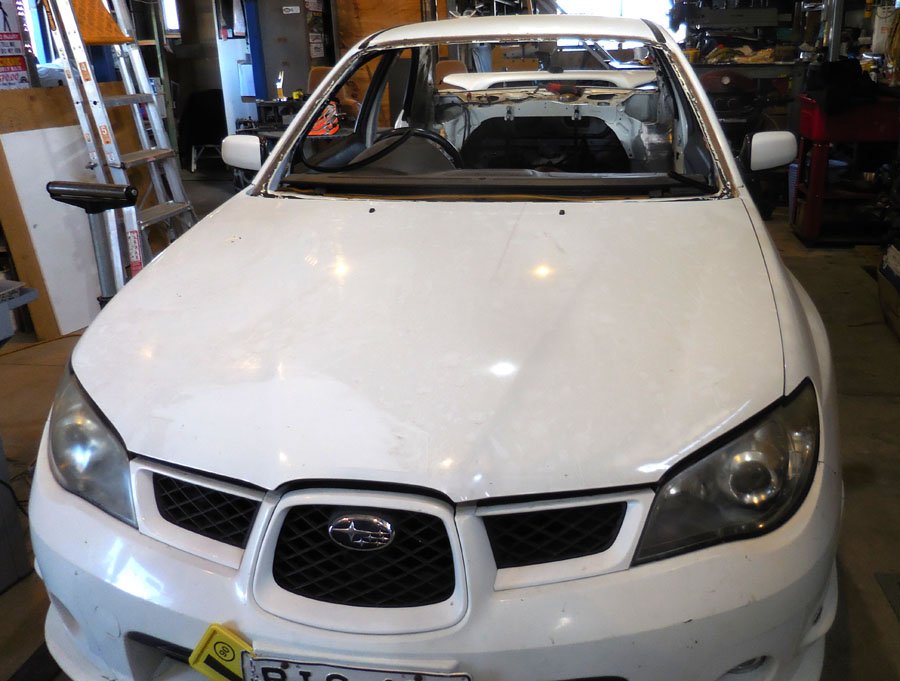
    Well, the last pre-CAKE jobs are in the workshop this week. Josh did a driving stint in the Kenworth then got into the ute tray- There's still quite a lot of work on this yet. Its within 1.5mm of dead square in 3 dimensions, I know I wouldn't be that fussy! Meanwhile I've been making foot-plates for a cage in the Subie. They were both waiting for the Mini to finish, so if we can knock them out in the next few weeks its finally CAKE time! Mind you... sunny spring weather is arriving, and today is footings day for the new workshop extensions..

Account

Navigation

Search

Search

Configure browser push notifications

Chrome (Android)
  1. Tap the lock icon next to the address bar.
  2. Tap Permissions → Notifications.
  3. Adjust your preference.
Chrome (Desktop)
  1. Click the padlock icon in the address bar.
  2. Select Site settings.
  3. Find Notifications and adjust your preference.