

sbfoot
Members
-
Joined
-
Last visited
Everything posted by sbfoot
-
seems like alot of effort to replace a 1600 for 1600.4age needs sump mods,rwd cooling system parts which can be hard to find for the right price,plus all the expense of wiring it up. what are you after more power /better fuel economy?
-
front discs from an rt81 bolt straight on,ka ford lazer master cylinder for dual circuit braking system,grab the booster,pushrod and bracket from the rt81 if you want boosted brakes.early ta22s share the same front brakes but you need to drill 2 extra hole for the backing plates to fit. rear brakes require more mods to get something to fit.
-
It wont fit a 12r as inlet ports are round,and it won't fit a 4r as the mounting bolts aren't shared.might fit an 8r or a 2r.post some measurements up (total width,size of ports) might be able the find out for you. Scott
-
its called a fastback(rt56) and they also do a wagon!
-
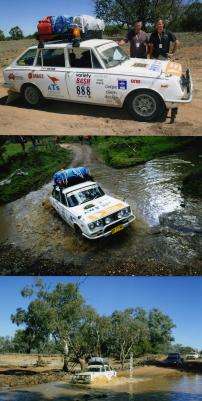
Nice, It's good to see them still getting around.Here's one of mine. Scott
-
Any Pics
-
What radiator did you end up using?
-
You can upgrade to a dual circuit brake master cylinder using one from a ka lazer.same bolt pattern.If you use the front brakes off a ta22 get ones off a pre 74 model as they changed to different bearings after that.To stiffen up the front end you can bolt 2 sway bars under the front.
