Skip to content
View in the app

A better way to browse. Learn more.

rollaclub.com

A full-screen app on your home screen with push notifications, badges and more.

To install this app on iOS and iPadOS
  1. Tap the Share icon in Safari
  2. Scroll the menu and tap Add to Home Screen.
  3. Tap Add in the top-right corner.
To install this app on Android
  1. Tap the 3-dot menu (⋮) in the top-right corner of the browser.
  2. Tap Add to Home screen or Install app.
  3. Confirm by tapping Install.

ae70 se

Members
  • Joined

  • Last visited

Everything posted by ae70 se

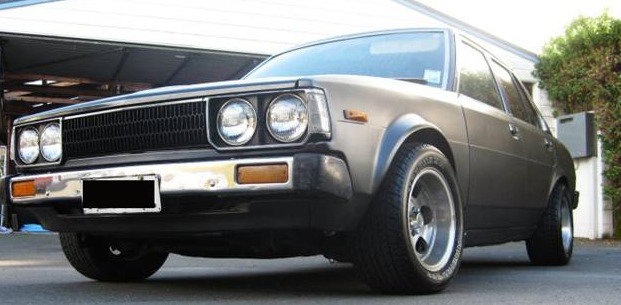
  1. 1982 ae70 se getn done up aym so dnt have much to say till i get her fully finishd the photo didnt up load
  2. the gurls in new zealand love the old skol cars. :L nice move i would off done the same......thumbs up
  3. i have a 82 ae70 its in project stage atm so can't wait til shes done. also have a ae71 australia spec :)
Account

Navigation

Search

Search

Configure browser push notifications

Chrome (Android)
  1. Tap the lock icon next to the address bar.
  2. Tap Permissions → Notifications.
  3. Adjust your preference.
Chrome (Desktop)
  1. Click the padlock icon in the address bar.
  2. Select Site settings.
  3. Find Notifications and adjust your preference.