Skip to content
View in the app

A better way to browse. Learn more.

rollaclub.com

A full-screen app on your home screen with push notifications, badges and more.

To install this app on iOS and iPadOS
  1. Tap the Share icon in Safari
  2. Scroll the menu and tap Add to Home Screen.
  3. Tap Add in the top-right corner.
To install this app on Android
  1. Tap the 3-dot menu (⋮) in the top-right corner of the browser.
  2. Tap Add to Home screen or Install app.
  3. Confirm by tapping Install.

BigKev

Members
  • Joined

  • Last visited

  1. parts were a lot harder to find than what i thought, so i bought a complete wagon for spares, will be selling off rest of parts soon if anybody is interested...they will be pickup only from western sydney...
  2. Sell the ke11 I reckon..
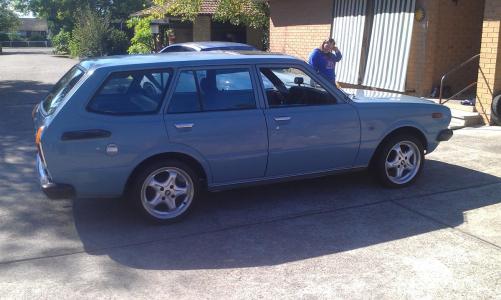
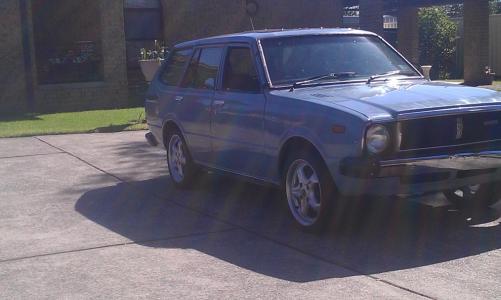
  3. No not literally my first car but same model, so far just put mags on and a respray is due, only minor surface rust..going with the original 5 speed and a full on 4k with twin 40mm sidedraughts ..want to keep it as original as possible..
  4. The start of my Rolla wagon project, reliving my youth by rebuilding the first car I owned 20 years later
Account

Navigation

Search

Search

Configure browser push notifications

Chrome (Android)
  1. Tap the lock icon next to the address bar.
  2. Tap Permissions → Notifications.
  3. Adjust your preference.
Chrome (Desktop)
  1. Click the padlock icon in the address bar.
  2. Select Site settings.
  3. Find Notifications and adjust your preference.