-
Ke70 CS 4K Build
- Ke70 CS 4K Build
- Ke70 CS 4K Build
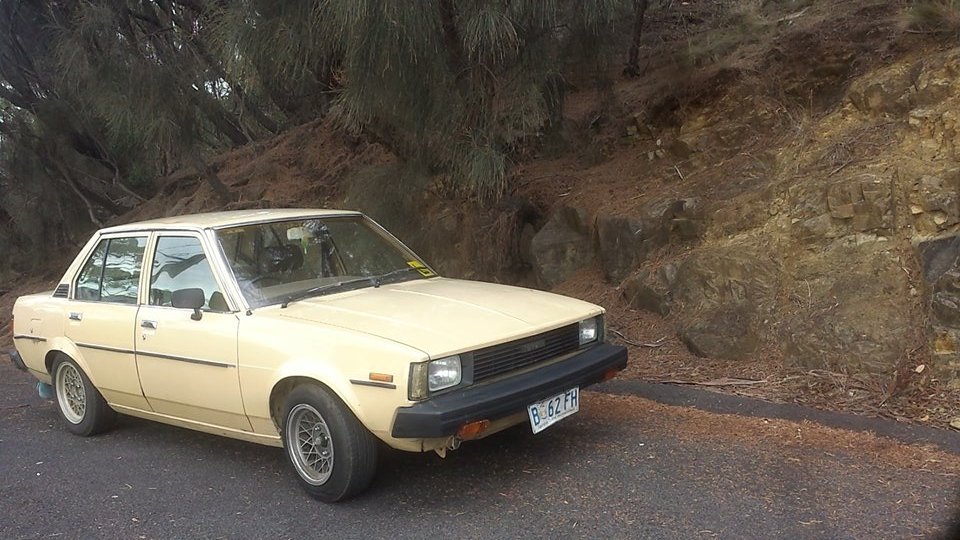
hey thanks guys for the advice, i have a welded diff as i want it as a daily driver but also be able to be able to not just spin single peggaz everywhere, engine is complete stock apart from had a smaller air filter put on, i want a jdm look but still for the car to be nice and tiny ill add some more photos of car soon the only thing ive really done is clean the engine bay upKsev_Clan changed their profile photo- Ke70 CS 4K Build
Hey everyone, i have just got myself a 1982 Ke70 toyota corolla CS it has a 4k, also has a ae86 front end and ae86 rear springs and diff has been welded, pretty sure everything else is stock was just looking for a few more power/jdm mods i could do if anyone knew of any from more power to style - Ke70 CS 4K Build
Account
Navigation
Search
Configure browser push notifications
Chrome (Android)
- Tap the lock icon next to the address bar.
- Tap Permissions → Notifications.
- Adjust your preference.
Chrome (Desktop)
- Click the padlock icon in the address bar.
- Select Site settings.
- Find Notifications and adjust your preference.
Safari (iOS 16.4+)
- Ensure the site is installed via Add to Home Screen.
- Open Settings App → Notifications.
- Find your app name and adjust your preference.
Safari (macOS)
- Go to Safari → Preferences.
- Click the Websites tab.
- Select Notifications in the sidebar.
- Find this website and adjust your preference.
Edge (Android)
- Tap the lock icon next to the address bar.
- Tap Permissions.
- Find Notifications and adjust your preference.
Edge (Desktop)
- Click the padlock icon in the address bar.
- Click Permissions for this site.
- Find Notifications and adjust your preference.
Firefox (Android)
- Go to Settings → Site permissions.
- Tap Notifications.
- Find this site in the list and adjust your preference.
Firefox (Desktop)
- Open Firefox Settings.
- Search for Notifications.
- Find this site in the list and adjust your preference.