Skip to content
View in the app

A better way to browse. Learn more.

rollaclub.com

A full-screen app on your home screen with push notifications, badges and more.

To install this app on iOS and iPadOS
  1. Tap the Share icon in Safari
  2. Scroll the menu and tap Add to Home Screen.
  3. Tap Add in the top-right corner.
To install this app on Android
  1. Tap the 3-dot menu (⋮) in the top-right corner of the browser.
  2. Tap Add to Home screen or Install app.
  3. Confirm by tapping Install.

KPROLN

Regular Member
  • Joined

  • Last visited

Everything posted by KPROLN

  1. lol i sold them with the pink ae71 :hmm:
  2. Thanks for the comments i really appreciate it
  3. yeh i ended up sellin my pink ae71 for another 1 wich didnt end up happenin i regret it soo hard :drgrim: ohh well
  4. Can someone help where i can get chrome bars from
  5. Nah not 4 sale
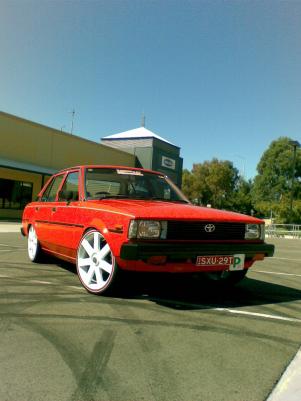
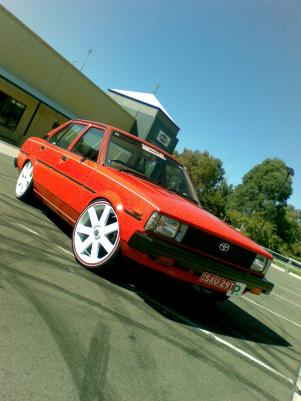
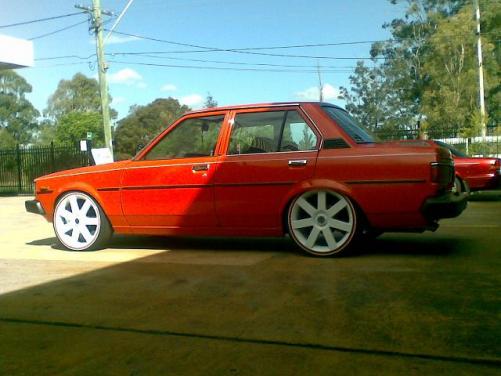
  6. Just bought this orange ke70 4sp manuel 4k power I'm the 3rd owner with logbooks all ive done is dopped it and put sum 18inch white diablos, dumpy exhuast, crystal lights
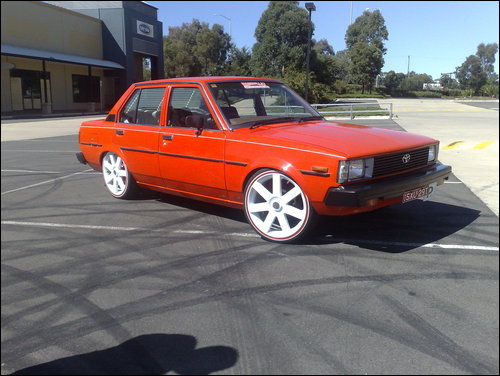
  7. Thats like the Sexiest Ke20 ive ever seen :yes:
  8. ill go cream vinyl like mine I'm just waitin to do my seats

Account

Navigation

Search

Search

Configure browser push notifications

Chrome (Android)
  1. Tap the lock icon next to the address bar.
  2. Tap Permissions → Notifications.
  3. Adjust your preference.
Chrome (Desktop)
  1. Click the padlock icon in the address bar.
  2. Select Site settings.
  3. Find Notifications and adjust your preference.